This post contains affiliate links. As an Amazon Associate I earn from qualifying purchases. I may also earn commissions from other affiliate programs at no extra cost to you. Please read full disclosure for more information.
Viral Pinterest pins Reddit users swear by don’t just happen by luck. Most Pinterest pins get ignored, but a few take off and get thousands of views.
So, what makes a Pinterest pin go viral?
It comes down to a few simple tactics. Browse subreddits like r/Blogging and r/Pinterestmarketing, and you’ll see creators sharing the same tips that helped their pins get noticed.
By the end of this guide, you’ll know what these tactics are and how to use them to create better Pinterest pins.
1. Eye-Catching Visuals Are Key for a Viral Pin
I said it before, but it’s worth repeating: If your pins look bad, your results will look bad too.
Ask me how I know 🤭
When I first started, I made the same mistake. So when my pins didn’t take off? I blamed the algorithm. But the algorithm wasn’t the problem. My pins were.
📌 If people don’t click, Pinterest won’t promote your pin. It’s that simple.
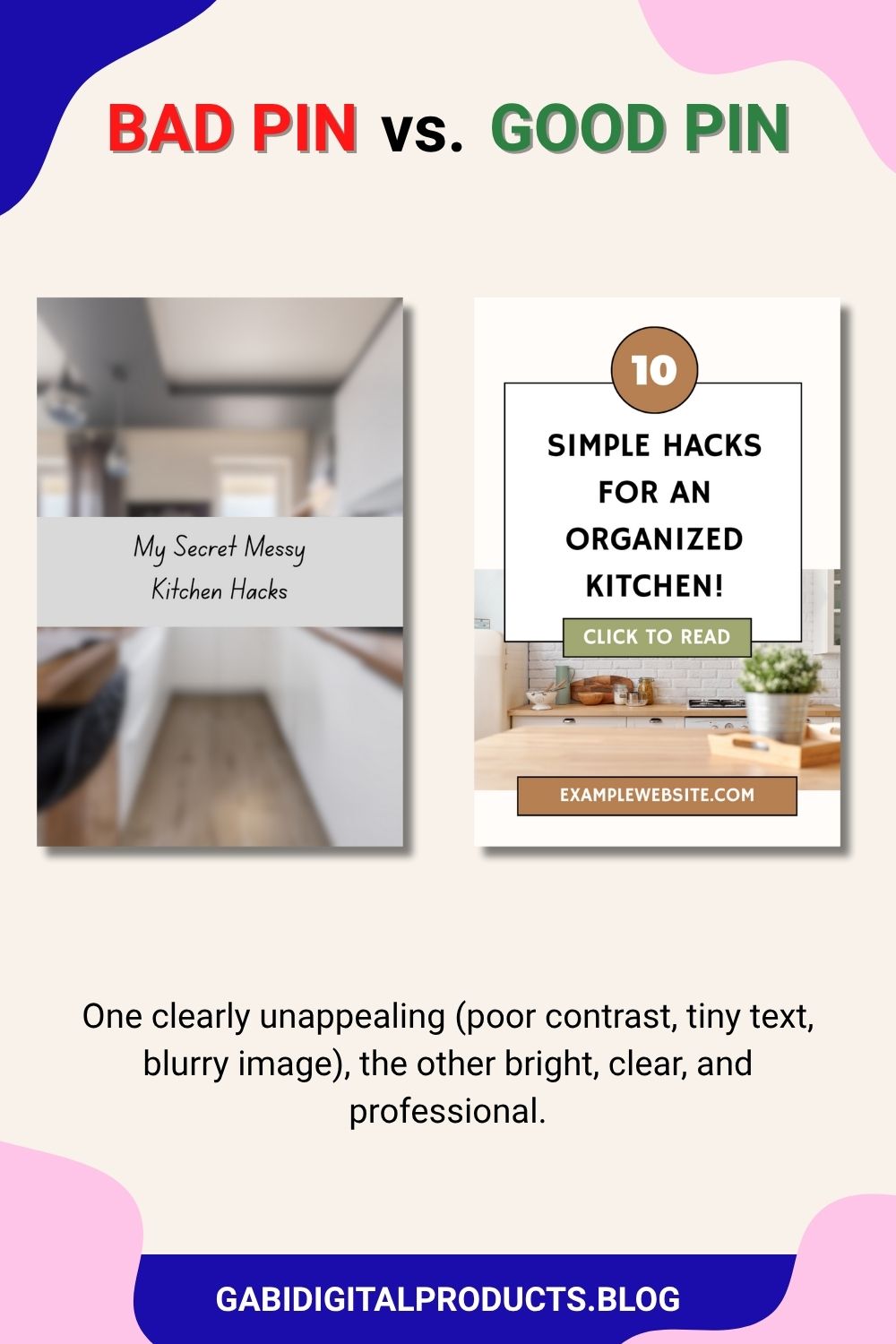
You’re not just posting pins, you’re competing in an ocean of stunning images. For someone to stop and click yours, it has to stand out.
Aspect Ratio
Professionals in advertising always recommend using the exact aspect ratio a platform requires, and using that entire space to tell your story. On Pinterest, the ideal aspect ratio is 2:3 (1000×1500 pixels).
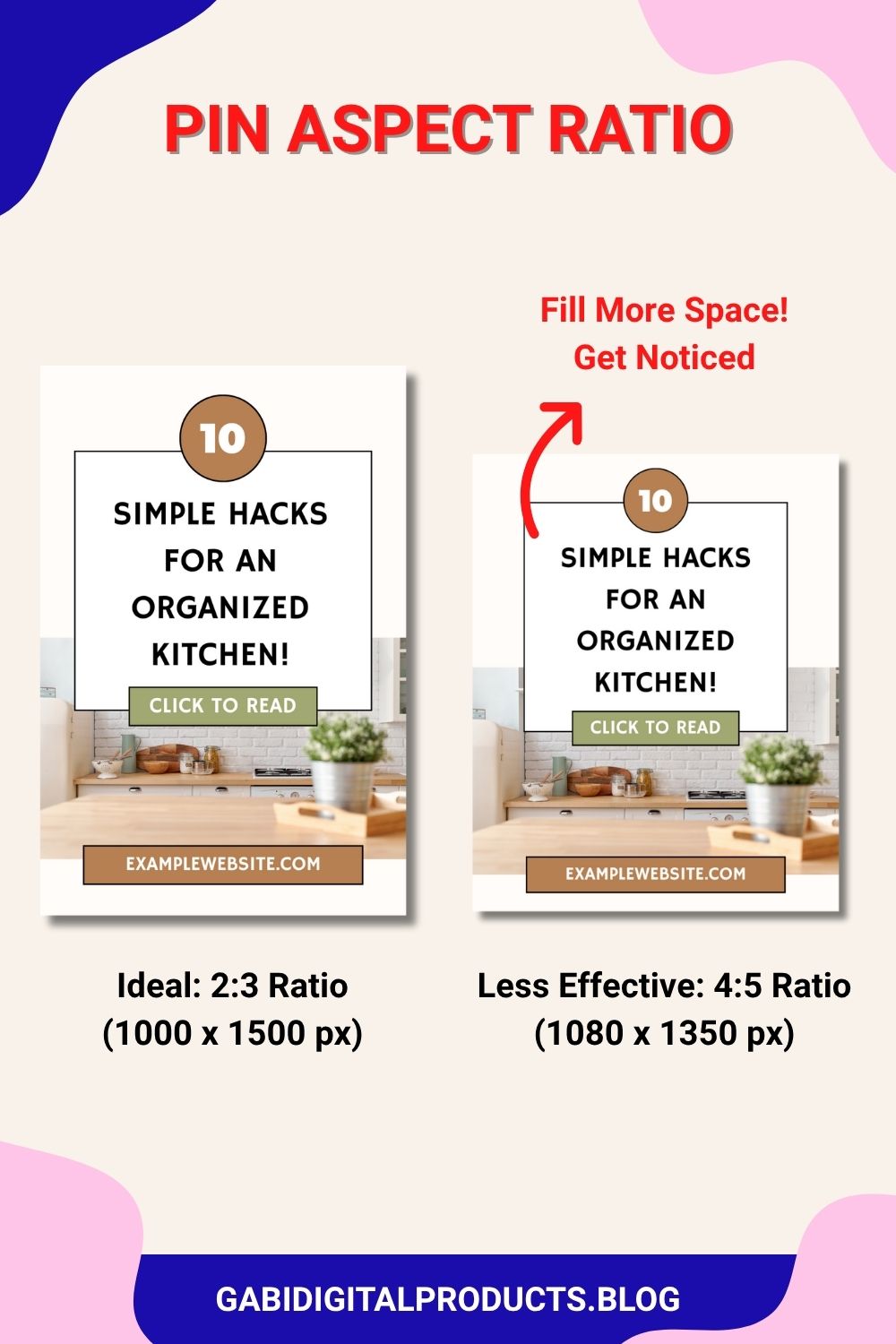
I use different ratios for some pins, but for my most important ones (especially blog pins), I always stick to 1000×1500. This one small tweak can turn your pin into a viral pin.
Colors & Fonts
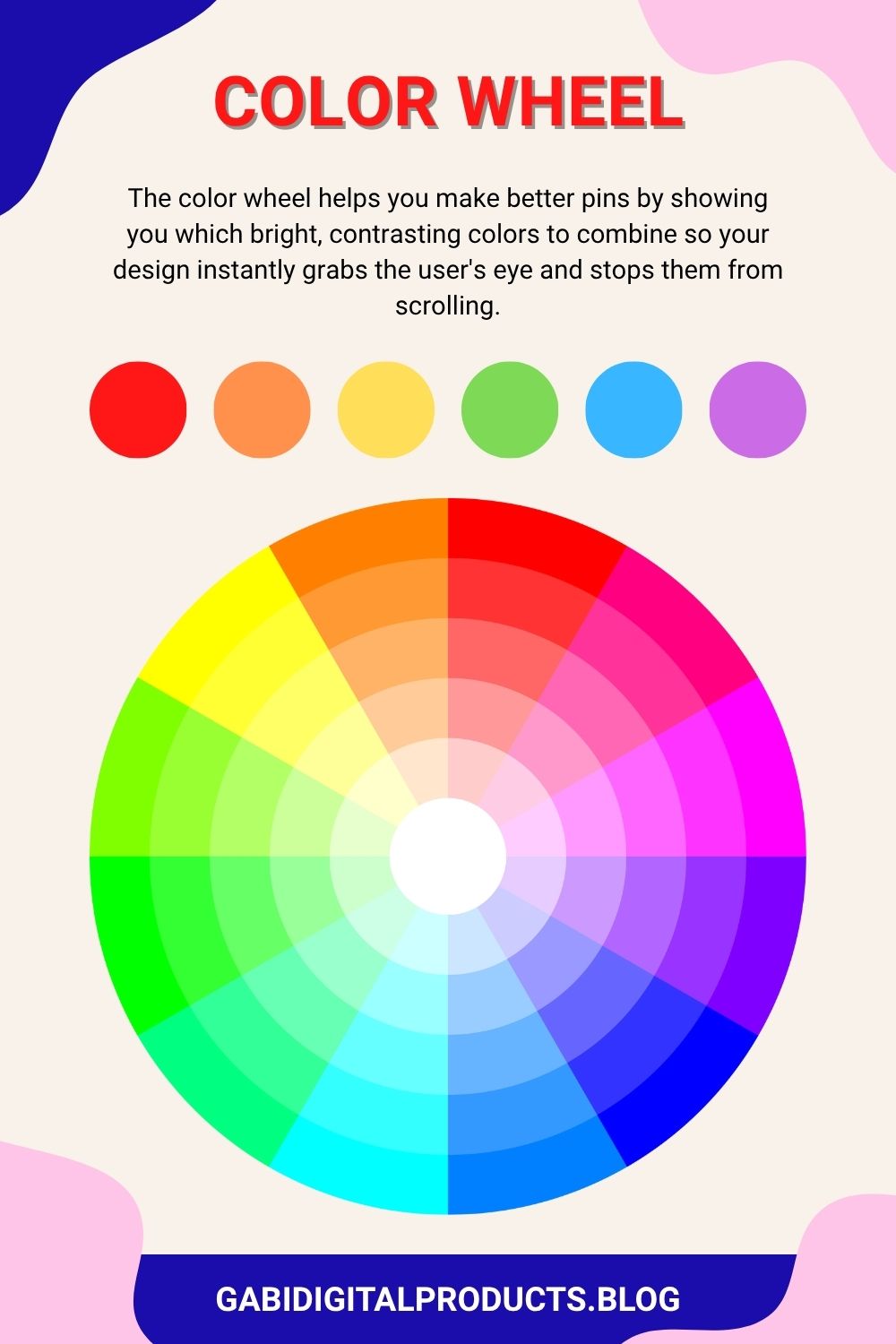
Use a color wheel to pick a few bright, strong colors that grab attention. Bright colors catch the eye and make the brain pay attention.
Fonts matter just as much. Cursive, romantic fonts might be pretty, but almost everyone uses Pinterest on their phone, if they can’t quickly read your text, they won’t click.
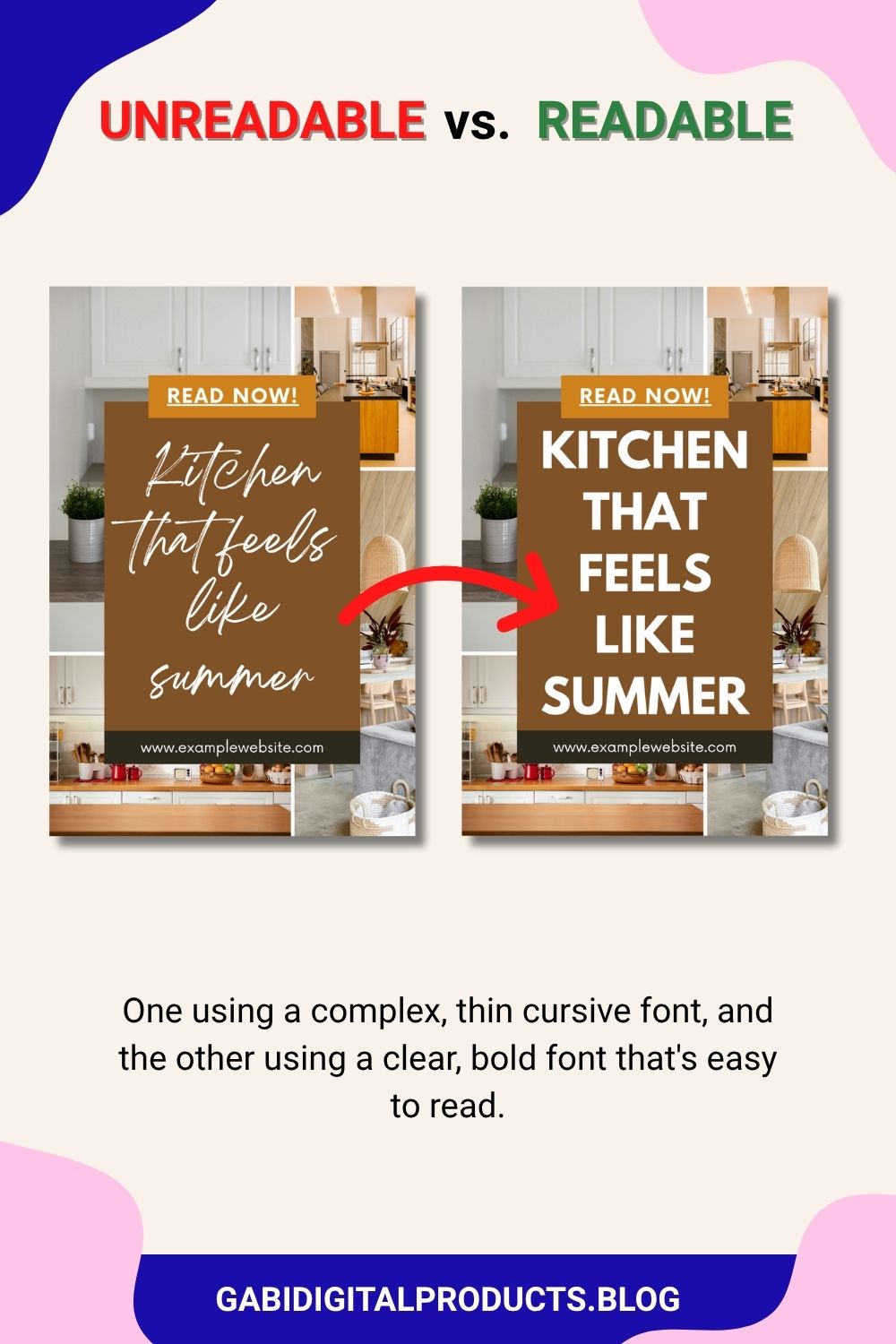
Clear fonts pull eyes to your pin. Avoid fancy, unreadable fonts at all costs.
If you sell to teachers or TPT sellers, having a consistent, on-brand photo library, like these styled stock photos for teacherpreneurs, makes it much easier to keep your pin backgrounds cohesive across dozens of designs.
2. Prioritize Clicks Over Saves
Here’s something creators on r/Blogging point out that a lot of beginners miss: saves and clicks are not the same signal, and chasing the wrong one wastes your effort.
Purely aesthetic “Pinterest-perfect” quote pins rack up plenty of saves, because they’re pretty to look at and easy to file away for later. But pins built around a problem-solving headline, like a recipe, tutorial, or clear how-to, are what actually drive people to click through to your site. That outbound click is the real signal that matters if you’re trying to grow traffic, not just impressions.
So when you’re designing a pin, ask yourself: does this just look nice, or does it promise to solve something? Aim for the second one.
3. Compelling Headlines
There are two ways to approach it.
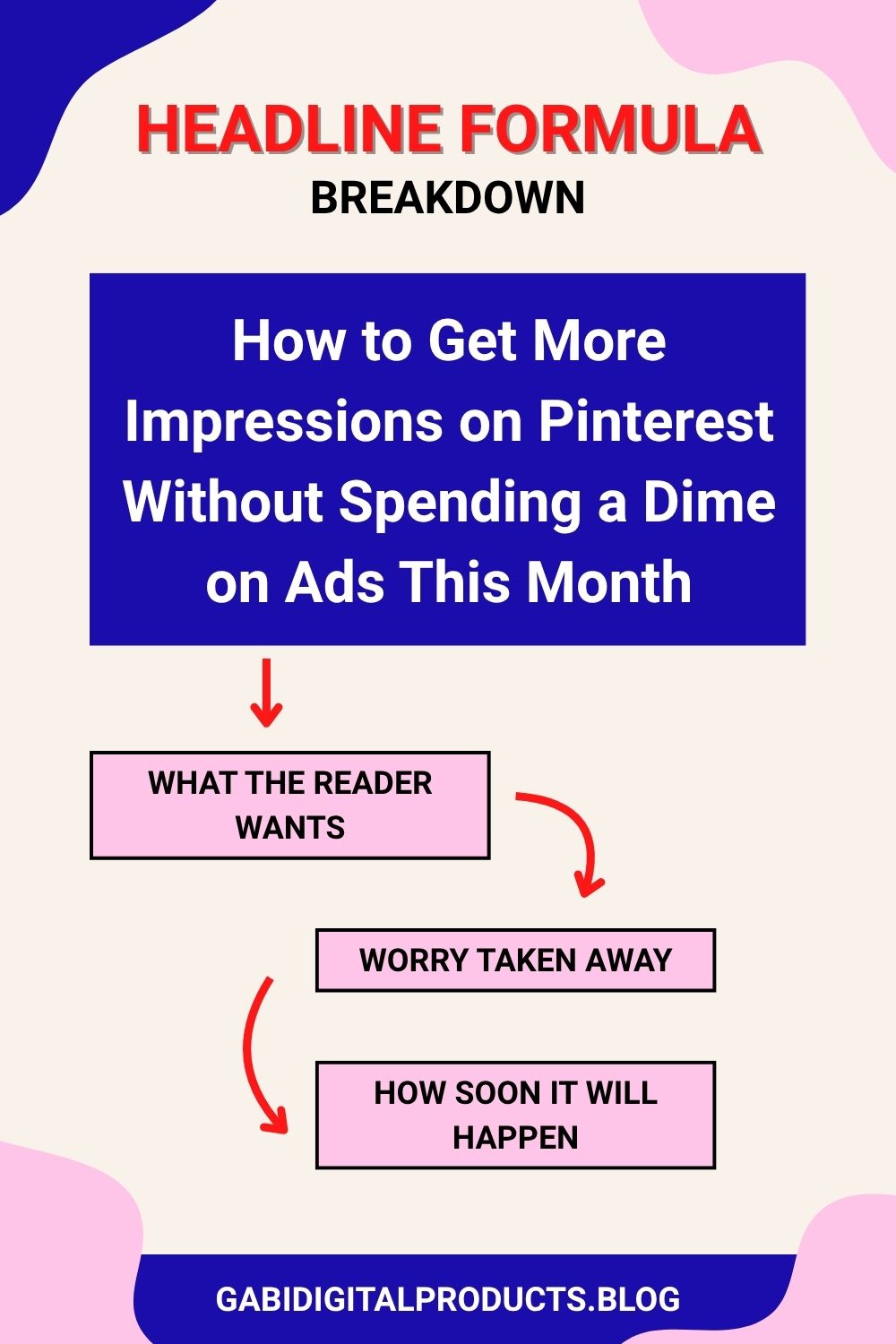
One way is to use this title formula: what the reader wants, the worry taken away, and how soon it will happen. It is very powerful, but use it responsibly, never make false claims.
Example: “How to Get More Impressions on Pinterest Without Spending a Dime on Ads This Month.”
- What the reader wants: More impressions on Pinterest
- Worry taken away: No need to spend money on ads
- How soon it will happen: This month
The other way is to read copywriting books that teach formulas like AIDA, exactly what a high-performing pin needs to do. One of the main reasons someone clicks your pin is the promise your headline makes, so don’t skip this step.
4. Keywords and SEO Matter
Pinterest is a search engine, just like Google or YouTube. If someone types “Pinterest templates for bloggers“ into the search bar and you’ve optimized your pin for SEO, it can rank high, and get most of the clicks and traffic.
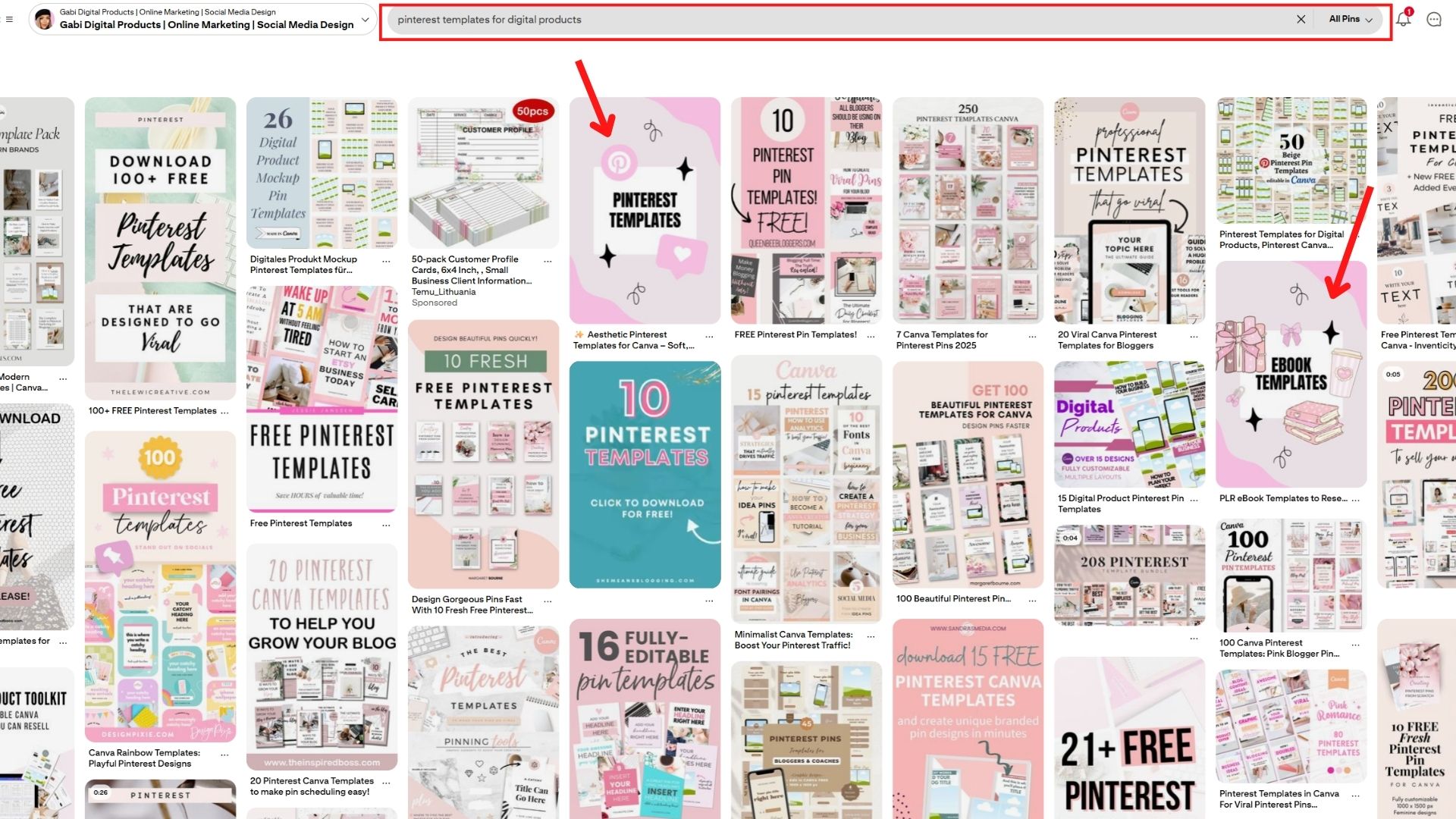
Creators on r/Pinterestmarketing consistently recommend using Pinterest’s own autosuggest search bar for exact-match keywords, then working those terms naturally into your pin title, description, and even board names.
But SEO is only part of the game. If your pins aren’t beautiful, all that SEO is wasted effort.
Pro Tip: If you’re new to this, check out my full guide on how to market digital products on Pinterest for the foundation you need before going viral.
5. Post Often, and Post in Multiples
This is the part beginners underestimate the most, and it’s one of the most repeated pieces of advice across r/Blogging: volume and repetition matter as much as design.
Instead of making one pin for each blog post or product, successful creators make a couple different pins for the same link. They change the headline, layout, or colors to give each pin a new look. Just make sure you spread them out instead of sharing the same link too many times on the same day.
More variations means more chances for the algorithm to find the one that clicks with your audience.
If you create a lot of home decor content, home decor Pinterest pin templates can make it faster to create those variations.
Consistency helps, too. When you’re starting out, it’s better to start with a few pins a day and slowly increase as you get more comfortable. Some creators eventually post 5 or even 10 pins a day across relevant boards. It’s not about spamming. It’s about giving Pinterest more chances to find what works.
6. Trends & Timing
Pinterest has a free tool called Pinterest Trends. Trends often surface on Pinterest before anywhere else, so catching them early can even give you an edge on Etsy, where trends tend to show up later.
Riding seasonal trends is one of the fastest ways to take your impressions from 100K to 1 million. Reddit’s advice lines up here too: publish seasonal content 2 to 3 months ahead of the actual season (Christmas or winter content going up as early as October, for example), since Pinterest indexing and audience planning both take time.
When you spot a trend, act immediately. The faster you create and post, the more traffic you can capture. And don’t be afraid to take inspiration from what’s already working for others in your niche, just don’t copy it too much.
7. Clear Call-to-Action (CTA)
If you don’t tell people what to do, they will do nothing.
If your pin leads to a blog or product, say something clear like “Click the pin,” “Read more,” “Buy now,” or “Save for later.” Stick to one clear call to action per pin, confuse the user and you lose.
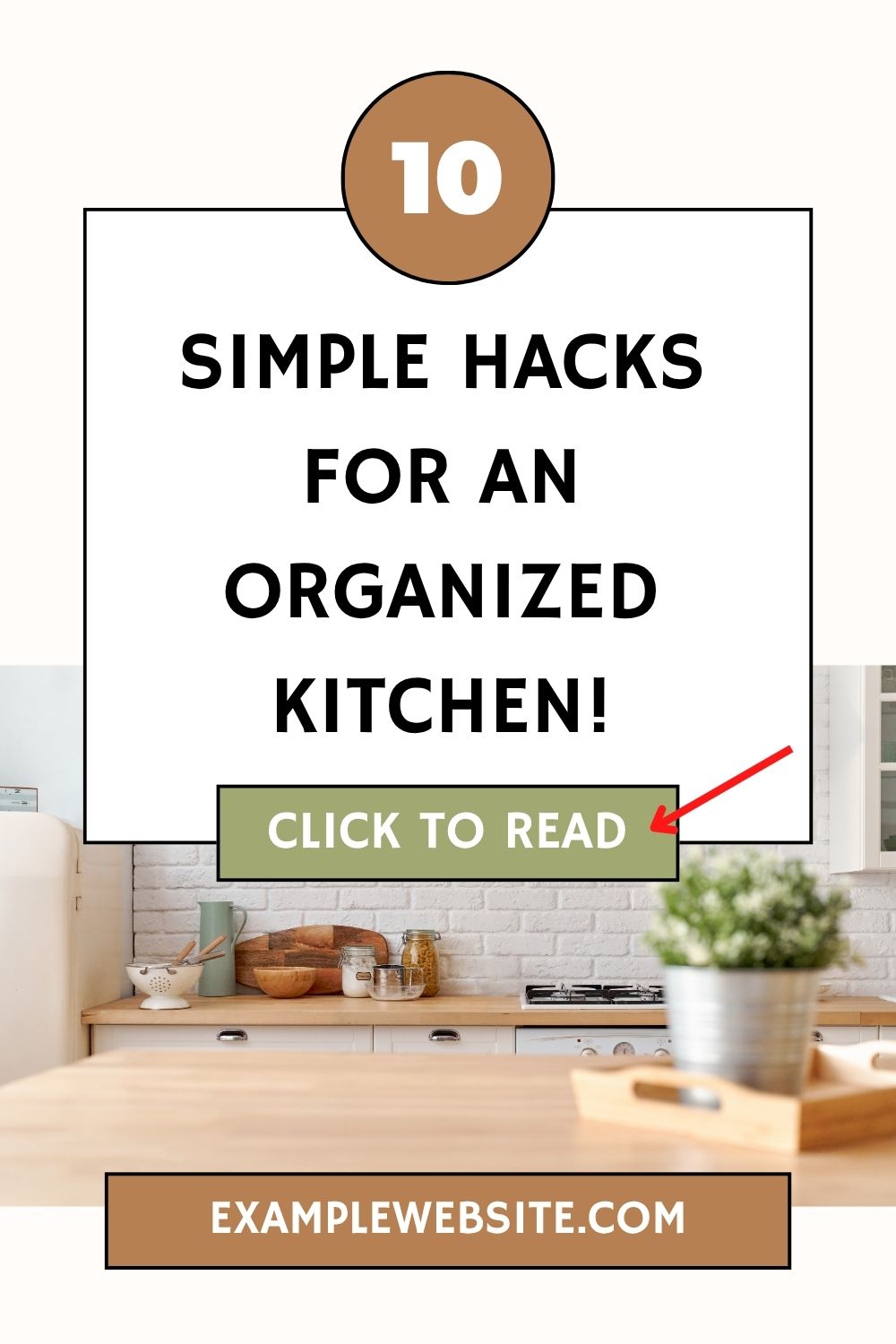
Make it prominent, readable, and use contrasting colors so there’s no way anyone misses it.
Not sure if your CTA, text, or design actually holds up? Run your pin through my free Pinterest Pin Design Checker, it’ll flag exactly what’s working and what’s not before you post.
8. Test & Adjust
Some pins will always outperform the rest. When one does, study its keywords, style, and CTA, then replicate it with a few more pins just like it. Don’t waste time on what didn’t work, double down on what did.
What Makes a Pinterest Pin Go Viral on Reddit? Key Takeaways
- Design for clicks, not just saves: Aesthetic pins get saved; problem-solving pins get clicked.
- Make multiple pin variations: More designs pointing to one link means more chances to win.
- Use bright colors and fonts: Bright, readable design makes people stop and look.
- Write interesting titles: Promise something good, and actually deliver it.
- Use the right keywords: But never sacrifice beauty for SEO.
- Post consistently: Share pins regularly to keep your content visible and give Pinterest more chances to find what works.
- Jump on trends 2-3 months early: Seasonal timing is everything on Pinterest.
- Tell people what to do: One short, clear CTA per pin.
- Find what works and repeat it: Study your top performers and make more like them.
Try making a pin today using these tips, and posting a few variations of it. You might get your first viral pin sooner than you think!
Have an awesome day and good luck with your pins! Gabi ❤️