Pinterest Pin Design Checker
Pinterest Pin Design Checker helps you test your pin before you post it. Upload your pin below and get a free score out of 100, based on the same design rules that drive real clicks, not just saves. Made for Etsy sellers, bloggers, and digital product creators who design pins in Canva.
Check Your Pin Score
Upload one pin. Everything happens in your browser. Your image is never uploaded to a server.
Click to upload your pin or drag it here
JPG or PNG works best
Quick check, be honest:
This score is a design guide, not a guarantee. Pinterest also looks at your account history, keywords, and how people react over time.
How This Pinterest Pin Design Checker Scores Your Pin
Most pin tools only check your image size. This Pinterest pin design checker looks deeper, at the things that actually make someone stop scrolling and tap. Here is what each part of your score means and why it matters.
Contrast
Contrast is how different your light and dark areas are. Low contrast pins blend into the feed. High contrast pins stop the scroll. This idea comes from the same accessibility research used to build readable websites, where a strong difference between text and background makes words easier to read for everyone, at a glance.
Focal Point
A focal point is the one spot your eyes land on first. If every part of your pin fights for attention, your brain does not know where to look, so it skips the whole pin. A strong pin has one clear spot that stands out from the rest, like a bright headline on a plain background.
Mobile Readability
Most people scroll Pinterest on their phone, where your pin shrinks down to a tiny thumbnail. A design that looks great full size can turn into a blurry mess at that small scale. This checker shrinks your pin down to test how much of it survives.
Aspect Ratio
Pinterest favors the 2:3 shape. Pins outside this shape get cropped in the feed, which can cut off your headline or your button before anyone sees them.
Headline and Call to Action
Your brain follows arrows, buttons, and signs without even thinking about it. A pin with a clear headline and a clear next step earns more clicks than a pretty pin with no direction. Read the full research behind this on the blog, where I break down exactly why pretty pins get saves but not clicks.
Pinterest Pin Design Questions
Most of the time, your pin is too pretty and not strategic enough. It might be low contrast, missing a clear headline, or missing a button or arrow. Run it through the checker above to see exactly which part is holding it back.
The best size is 1000 by 1500 pixels, which is a 2:3 shape. Pinterest crops anything taller than a 1:2.1 shape, so your headline or button could get cut off in the feed.
Pinterest pin design is how you lay out an image so people stop scrolling and tap it. Good pin design uses a clear headline, strong colors, and a button or arrow, not just a pretty photo.
You can see how your pins are doing inside Pinterest Analytics, which shows saves, clicks, and impressions after you post. This checker works before you post, so you can fix design problems while your pin is still in Canva.
ChatGPT can write your pin title and description, but it cannot design the image for you the way Canva can. AI made images also tend to be busy and cluttered, which is the opposite of what a strong pin needs. Pinterest also now labels AI made pins with an “AI modified” tag, and gives users a setting to see fewer of them. That means your AI pin can reach a smaller audience before anyone even judges the design. Ready made Canva templates skip both problems.
Upload it here to see its exact width, height, and aspect ratio, plus how it scores on contrast and mobile readability, all in one place.
Want pins that already pass this check? My Canva templates are built with strong contrast, clear headlines, and buttons baked in, so you skip the guesswork.
Shop Ready Made Pin Templates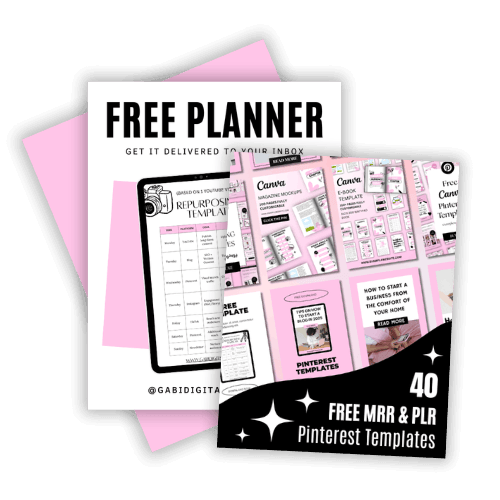
Steal My Viral Content System (For Free)
Get 40 high converting Pinterest templates, 100% editable in Canva, plus my Repurposing Planner so you stop starting from scratch every Monday.
DOWNLOAD THE GROWTH BUNDLEWant to price what you make? Try the free pricing calculator. Ready to post? Come back to this Pinterest pin design checker before every pin you publish.