If you’re looking for the best Pinterest templates for TPT sellers, I’m going to tell you something that might save you some money:
Don’t buy a Pinterest template bundle just because it looks pretty.
Pinterest is a visual platform, so yes, design matters. A lot. But a beautiful template that doesn’t help you get clicks is not doing much for your business.
And if you’re comparing Pinterest template bundles, you probably don’t actually need another person telling you that “Pinterest is great for traffic.” You already know that.
The real question is:
Which Pinterest templates are actually worth buying?
After using Pinterest across different niches for years, I’ve learned that the answer is not necessarily the biggest bundle, the cheapest bundle, or the one with the fanciest mockups.
You need templates that help you consistently create Pins that people can actually read, understand, click, and convert from.
And yes, I created my own 100 Pinterest templates specifically for TPT sellers for exactly this reason.
What to Look for in the Best Pinterest Templates for TPT Sellers
The best Pinterest templates for TPT sellers should make it easy to promote your products, freebies, blog posts, and other content.
1. Readable headlines
This may sound obvious, but I see this mistake often.
If your headline is tiny, difficult to read, or buried under decorative fonts, your beautiful Pin isn’t going to help you much.
Pinterest is visual, but people are still scrolling quickly. They need to understand what the Pin is about without having to look really closely at it.
Your headline should be clear, and your design should make the message easy to understand, not harder to find.
2. Strong calls to action
Your Pin needs to give people a reason to click.
Depending on what you’re promoting, that might be something like:
- Get the resource
- Read the blog post
- Watch the video
- Grab the freebie
- See the resource
- Learn more
You don’t need an aggressive sales pitch on every Pin. But you should know what action you want the person to take.
3. Space for product previews and mockups
If you’re a TPT seller, you’re selling visual products.
Your Pinterest templates should give you room to actually show what you’re selling.
That might mean a product preview, worksheet screenshot, mockup, or several pages from a resource.
I don’t want a template where the design takes up 95% of the Pin and there’s nowhere sensible to show the actual product.
Pretty is good.
Useful and pretty is better.
4. Enough variety that your Pins don’t all look the same
This one comes from experience.
I would absolutely not want 100 templates that are basically the same design with slightly different colors.
Pinterest needs variety.
If you keep creating essentially identical Pins, you’re not giving yourself much room to test different layouts, headlines, images, and ways of presenting your content. Repetitive content can also create problems for your Pinterest account.
This is one of the reasons I think the number and variety of templates actually matter.
You don’t need 100 templates that all look the same.
A handful of different layouts is enough to keep your content fresh and your Pinterest account from looking repetitive.
5. Templates that work for TPT content
You don’t necessarily have to search for a bundle that screams “TPT” in the title.
If I were shopping, I’d care more about whether the templates solve my actual problem.
- Can I promote my products?
- Can I show product previews?
- Can I promote a freebie?
- Can I create a Pin for a blog post?
- Can I promote my YouTube videos?
- Can I create seasonal content?
- Can I promote a product bundle?
That’s what matters.
The templates should be designed with the types of content a TPT seller actually wants to promote in mind.
6. Don’t worry too much about making everything perfectly “on brand”
Brand consistency can definitely be helpful, but personally, I wouldn’t make this my biggest deciding factor.
Your Pinterest account should look cohesive, but I don’t think every single Pin needs to be identical.
In fact, too much sameness can become a problem.
I’d rather have a set of templates that look good together but are different enough to try new ideas.
7. Check the Pinterest dimensions
The classic Pinterest format is 1000 × 1500 px, or a 2:3 ratio.
That’s still my favorite format, and some of my best-performing Pins use it.
But I wouldn’t automatically reject a template just because it isn’t exactly 1000 × 1500.
For example, 1080 × 1350 px can also work well on Pinterest.
The important thing is that the templates are actually designed for Pinterest rather than being random social media templates that someone decided to throw into a bundle.
8. Make sure you can promote different types of content
This is a big one.
Your Pinterest strategy shouldn’t be:
TPT product → TPT product → TPT product → TPT product.
Pinterest can be much more useful than that.
You can use it to promote:
- TPT products
- Product bundles
- Freebies
- Lead magnets
- Blog posts
- YouTube videos
- Product previews
- Seasonal resources
- Teaching content
- Affiliate content
- Other useful content that eventually leads people toward something you monetize
This is important because Pinterest users are often cold traffic.
Someone might discover you through Pinterest and have absolutely no reason to buy from you today.
That’s normal.
You can warm that person up through your blog, YouTube channel, email list, free resources, and other content.
Pinterest doesn’t have to make the sale immediately.
It can start the relationship.
How many Pinterest templates do you actually need?
Honestly?
More than five.
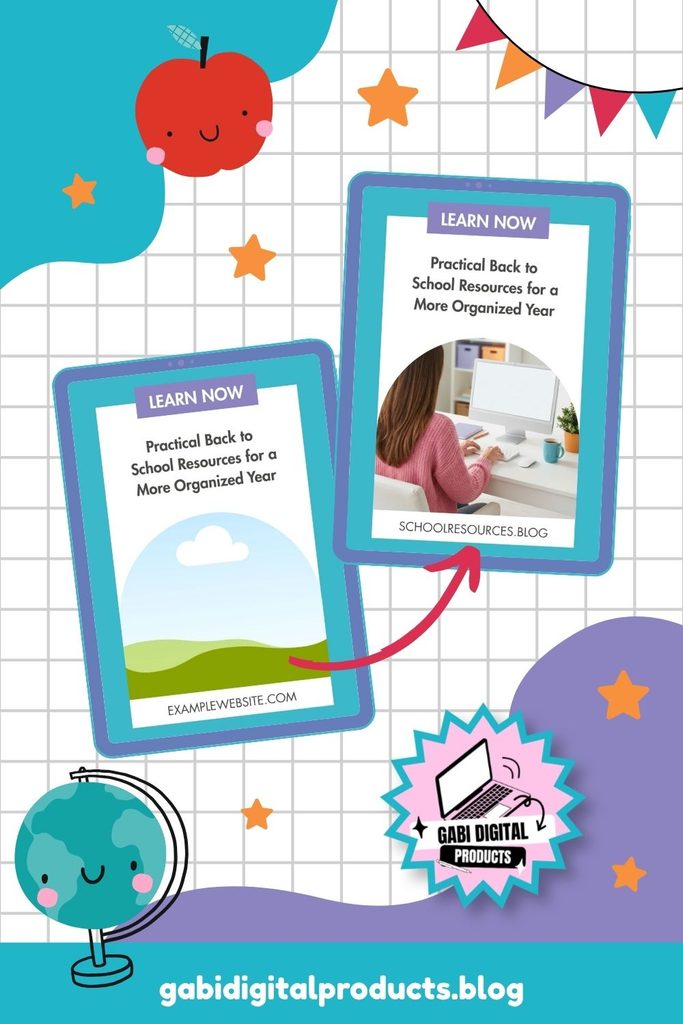
If you want to use Pinterest often, I don’t think buying a small pack of just a few templates is the best choice for the long run.
You don’t want to create five Pins and then realize you’ve already used all your layouts.
You want enough variety to keep testing.
And you want enough variety so you’re not always creating Pins that look almost identical.
That’s one reason I created a 100-template bundle.
Not because “100” magically makes something better.
But because I want you to have enough layouts to work with for a long time.
Pinterest is not something I’d approach as a one-week project.
Are the templates actually editable?
Yes.
This is another thing I’d check before buying any template bundle.
You should be able to change the headline, images, colors, text, product previews, and other elements you need to change.
If you’re still hunting for photos to fill these templates, these styled stock photos are made to match.
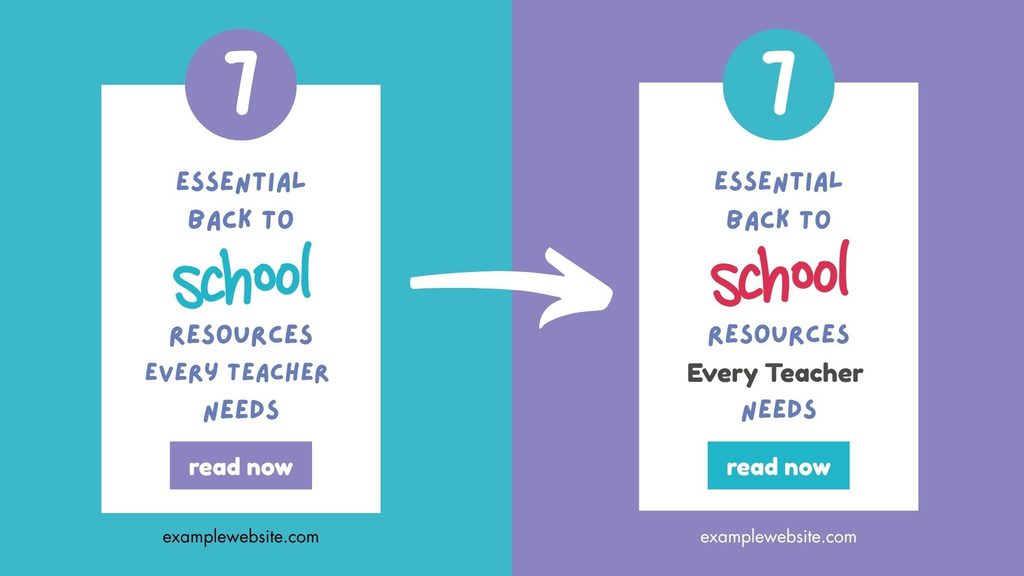
If you’re buying templates, you’re buying a starting point.
You shouldn’t have to completely redesign the Pin every time you want to use it.
The whole point is to make creating content easier and faster.
What I would NOT buy
There are some very obvious red flags I’d look for.
Unreadable fonts
If I can’t read the headline easily, I’m not buying it.
Pinterest is visual. That doesn’t mean you should sacrifice readability for aesthetics.
A tiny number of templates
If I get a few layouts that all look almost the same, I’m going to run out of options quickly.
Random colors and no cohesion
Your Pins don’t need to look identical, but they should still feel like they belong together.
A bundle where every template looks like it came from a completely different designer would make it difficult to create a cohesive Pinterest account.
Bad design
I’m sorry, but Pinterest is a visual platform.
Design matters.
If the templates look amateurish, cluttered, outdated, or simply don’t look good, I wouldn’t buy them.
Templates that are pretty but don’t solve a problem
This is probably the biggest red flag.
A Pinterest template shouldn’t exist just to look nice in a product listing.
It needs to help you create content that serves a purpose.
- Can I promote my product?
- Can I get someone to my blog?
- Can I get someone to watch my YouTube video?
- Can I get someone to download my freebie?
- Can I get an outbound click?
That’s what I’d be thinking about.
What should a TPT seller actually promote on Pinterest?
This is where I think Pinterest gets misunderstood.
If you’re a TPT seller, you might immediately think:
“I need to make Pins for my TPT products.”
Yes.
Absolutely.
But don’t stop there.
Promote your TPT products
This is the obvious one.
Create Pins for individual resources, bundles, seasonal products, and product previews.
If someone is looking for what you sell, you want to give them an opportunity to find it.
Promote freebies
Freebies are useful because they can help you build your email list.
Instead of asking a completely cold Pinterest visitor to immediately spend money, you can give them something useful.
Then you have another way to stay in touch with them.
Promote your blog
Pinterest is a search engine, and blog content can be evergreen.
A useful blog post can continue bringing traffic long after you originally published it.
And that blog can then introduce people to your products, freebies, affiliate offers, email list, or other content.
Promote YouTube videos
This is one I especially like.
I created a lot of YouTube promotional Pins because I want TPT sellers to understand that Pinterest doesn’t have to be only about static product promotion.
You can create a YouTube video, create a Pinterest Pin for it, and send Pinterest users to your video.
Pinterest really likes YouTube links.
And now you’re building another traffic channel instead of relying entirely on TPT.
Promote monetizable content
Teaching tips and helpful content can work, but I wouldn’t make Pinterest into an endless stream of inspirational quotes or random educational posts just because they’re “saveable.”
Ask yourself:
What is this Pin actually doing for my business?
If it gets 50,000 impressions and zero useful outcomes, what did you really gain?
I’m much more interested in content that can eventually produce:
- Product visits
- Sales
- Blog traffic
- YouTube views
- Email subscribers
- Affiliate commissions
- Other forms of passive income
That’s the point.
Pinterest should work for your business, not just make your analytics dashboard look pretty.
Don’t make Pinterest into Instagram
This is one of the biggest mistakes I see.
People start Pinterest, post a few Pins, see nothing happen, and think:
“Pinterest doesn’t work.”
But Pinterest is not Instagram.
Instagram content is usually seen quickly, while Pinterest takes more time. Be patient, and don’t expect your first few Pins to change your business.
If you’re also active on Instagram, the content pace is different too, so it helps to have templates built specifically for that platform, like my 200 Instagram Templates for Teachers collection.
A Pin can take off, but lots of views don’t always mean lots of sales.
You could have 10 million impressions and zero sales.
Impressions are not the same as sales.
What should you actually track?
For me, outbound clicks are much more interesting than impressions.
I want to know if people are leaving Pinterest and going somewhere useful.
- Are they visiting my TPT products?
- Reading my blog?
- Watching my videos?
- Signing up for my freebies?
- Clicking affiliate links?
- Buying something?
Those are much more meaningful outcomes.
And yes, saves and impressions can still tell you something. They’re just not the whole story.
I’d rather have a Pin that sends the right people to my website than a Pin that gets millions of impressions from people who have absolutely no interest in what I sell.
You need to keep testing
Pinterest isn’t about finding one perfect design and using it forever.
Test different layouts, headlines, images, and ways to show your products. Pay attention to what gets clicks.
Something that looks great to you might not perform well, while a simple design might do much better.
You won’t know until you test.
That’s why having a variety of templates helps. You have more room to experiment.
How long does Pinterest take to work?
Here’s where I want to be brutally honest.
Don’t expect immediate results.
If you’re posting organically, Pinterest takes patience. I’d start looking at what’s working after about three months. By six months, you should have a better idea of which content, designs, topics, and links are getting results.
I wouldn’t judge Pinterest after just a few weeks. Pinterest is a search engine, and search engines take time to build momentum.
Most importantly:
Don’t give up just because you’re not seeing instant results.
If business were easy, we’d all be millionaires.
My definition of Pinterest success
Success looks different for everyone.
For me, it’s not about hitting a certain number of impressions. My goal is to build multiple streams of passive income through the things I promote on Pinterest.
What I love most is that, after putting in the work, some of my Pins continue bringing me traffic, blog readers, video viewers, and affiliate commissions even when I’m not working on Pinterest.
That’s success to me.
Not followers or a pretty analytics screenshot, but having Pins that keep working for me.
It took a lot of work, testing, and consistency to get there.
So, are Pinterest templates worth it?
If you’re going to use Pinterest consistently, I think they can absolutely be worth it.
But don’t buy templates because you think the bundle will magically make Pinterest work.
It won’t.
Templates don’t replace strategy.
They don’t replace consistency.
They don’t replace testing.
And they definitely don’t replace patience.
What they can do is make the actual process of creating Pins much easier.
And that matters because consistency is much easier when you don’t have to stare at a blank Canva page every single time you want to create a Pin.
I also think there’s a difference between buying templates that you can use for a few days and buying a template collection that gives you enough variety to keep creating content for months and years.
You want something that helps you stay consistent, not something that makes you productive for one afternoon.
My 100 Pinterest Templates for TPT Sellers
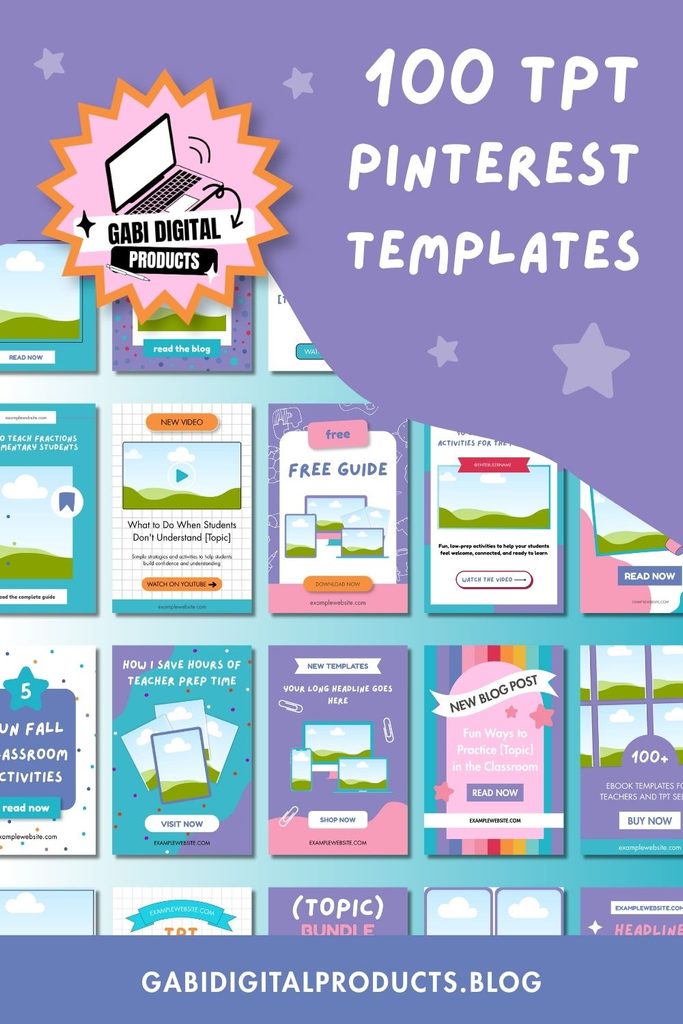
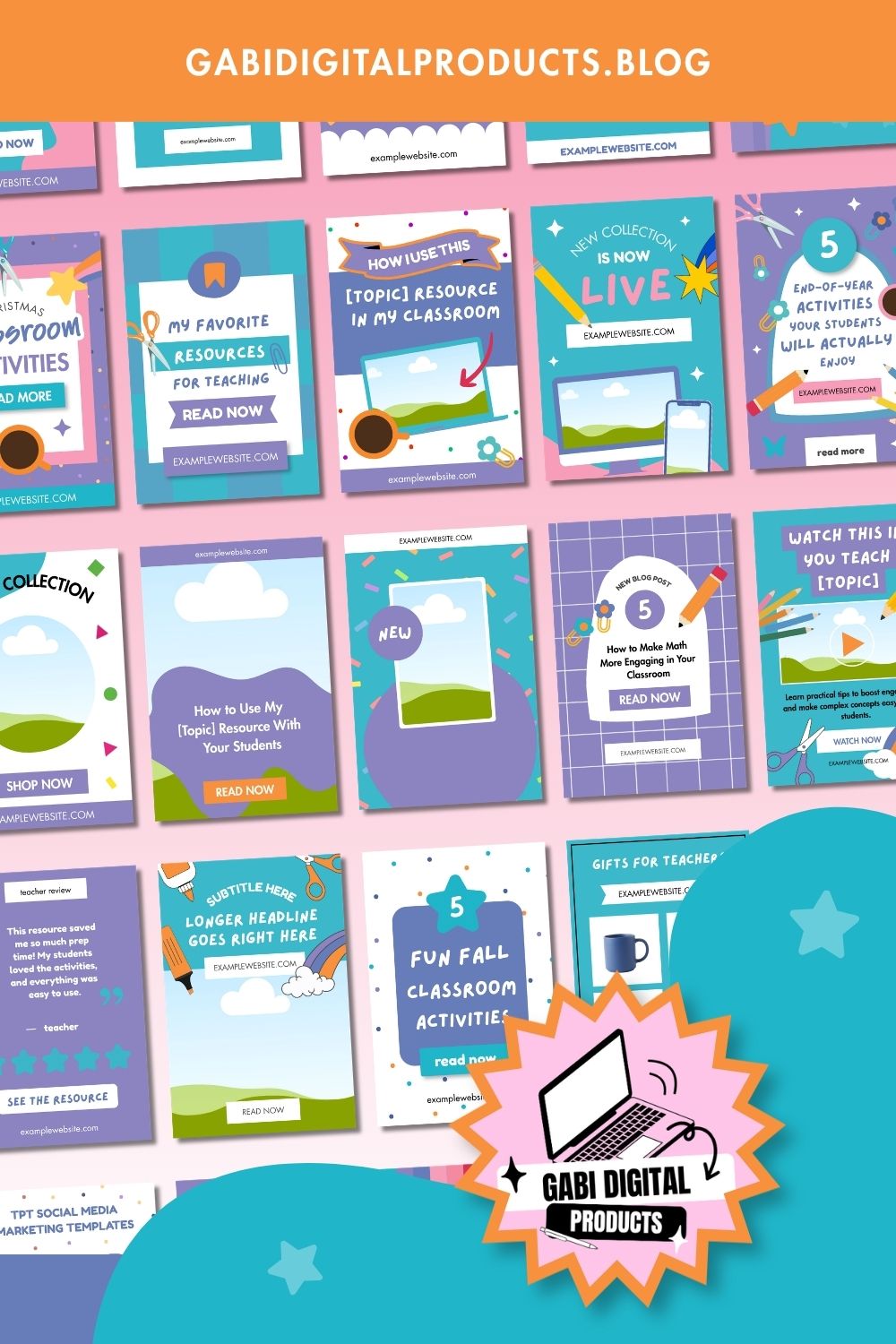
That’s exactly what I wanted to create with my 100 Pinterest templates for TPT sellers.
They’re designed around the types of content you actually want to promote:
- TPT products
- Product bundles
- Product previews
- Freebies
- Blog posts
- YouTube videos
- Lead magnets
- Seasonal resources
- Teaching-related content
- Other monetizable content
They’re editable in Canva, so you can customize them for your own products, content, branding, and offers.
And there’s another important part of the offer that you might not expect:
They come with MRR and PLR rights.
This means you can use the templates for your own business, or resell them and make money from them, based on the rights included.
So you’re not only buying Pinterest templates for your own TPT business.
You’re also getting an asset that you can potentially monetize.
The bundle is $20 / €17.61, it’s a one-time purchase, and you get lifetime access.
And yes, you can use the templates for multiple TPT products, your blog, YouTube, freebies, and other content you want to promote.
Ready to start creating Pins?
If you’re tired of staring at Canva wondering what kind of Pin you’re supposed to make next, you can check out the full bundle here:
But remember what I said at the beginning.
Don’t obsess over impressions.
Don’t chase followers.
Don’t expect Pinterest to bring you sales tomorrow.
Build it as a long-term traffic source.
Create good Pins.
Test.
Keep going.
And eventually, the goal is to have your Pins bringing people to your business even when you’re not sitting at your computer.
Because who doesn’t want a traffic source that keeps working while they’re doing something else?
And yes, Pinterest takes work.
So does building a business.
So does getting into shape.
So does pretty much anything worth having.
You just do the work that needs to be done if you want the results.