Pinterest pins not getting clicks reddit is a common problem. You may get views and saves, but few people visit your blog or buy your digital products.
Reddit users share the same problem: lots of views, some saves, but few clicks.
The good news? You don’t need to post more pins. First, find out what’s stopping people from clicking.
Here are seven common problems and simple fixes you can try.
1. Your Pinterest Pins Get Impressions but No Clicks
Many Pinterest users have the same problem: their pins get views, but few people visit their websites.
For example, a creator might receive thousands of impressions but very few outbound clicks. Their content is reaching people, but those people aren’t taking the next step.
A discussion in r/Pinterestmarketing about getting Pinterest traffic but low clicks raises this exact problem.
What could be happening?
People may notice your pin but not see a good reason to click on it.
Consider the difference between these two pin headlines:
- Instead of: “Weekly Meal Planner”
- Try: “Plan a Week of Meals in 10 Minutes”
The first describes an item. The second communicates what the reader can do with it.
When someone sees your pin, they should understand three things quickly:
- What is this about?
- Why should I care?
- What will I find if I click?
Try this fix: Write a headline that tells people how your pin can help them solve a problem or get what they want.
If you’re promoting a printable, show how it can make a task easier. For Canva templates, focus on the time they save or the task they make easier. For blog posts, tell readers what they’ll learn by clicking.
2. People Save Your Pins but Don’t Visit Your Website
Some creators say people save their pins but rarely click through to their websites.
People may save your pin because they like the design, but that doesn’t mean they’ll click through to your website. To get more clicks, show what people will find on the other side. If you sell a planner, show its pages and how it works. If you promote a blog post, highlight a tip readers can learn from it.
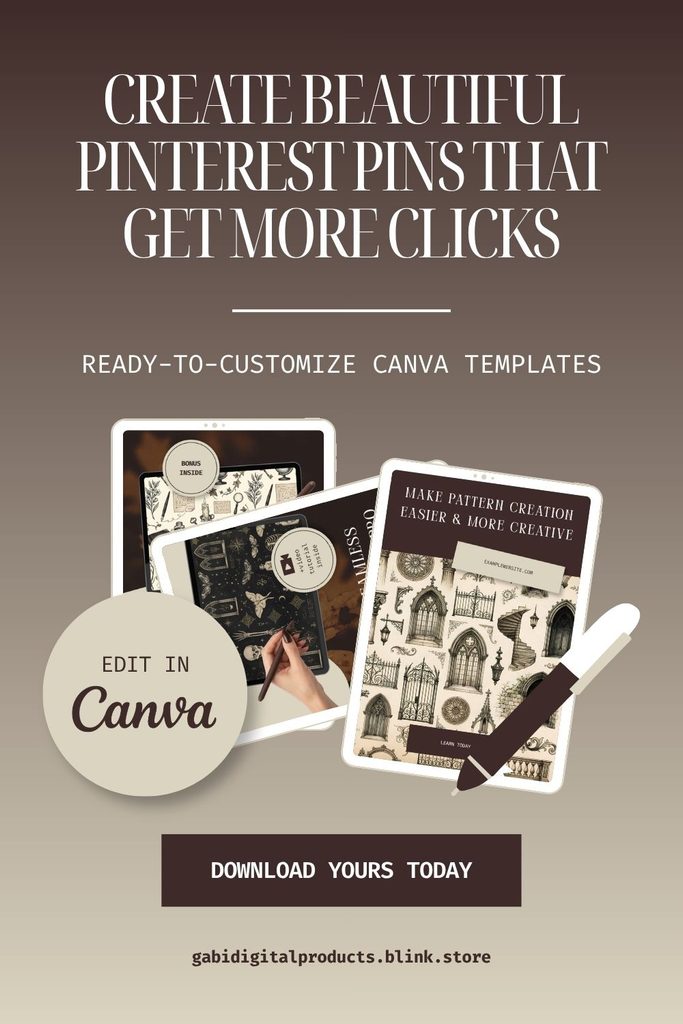
If you sell digital products, your pins should show people what they’re getting. For example, if you sell business templates, show the template itself and how it can help someone plan their work, track sales, or manage clients. This gives people a clear reason to click and learn more.
Try this fix: Make the destination worth clicking for.
Instead of showing only a pretty design, try:
- Show what comes with the product.
- Show a before-and-after example.
- Show how the template solves a problem.
- Explain how it can help the buyer.
- Add a clear next step, like “See the Templates” or “Read the Full Guide.”
3. Your Pinterest Pin Doesn’t Give People a Clear Reason to Click
Your pin may be getting seen, but people still aren’t clicking.
A pin can look professional and still leave people wondering what they’ll get by visiting the linked page.
A Reddit thread about getting more clicks points to a few things worth checking: your keywords, your call to action, and whether your pin matches what people are looking for.
These tips are worth trying, but what works for one Pinterest account may not work for yours.
Try this simple pin structure:
For example, if your blog post is about selling digital products on Pinterest:
- Hook: Grab attention with a problem or goal.
- Value: Tell people what they’ll learn or get.
- Next step: Give them a reason to click.
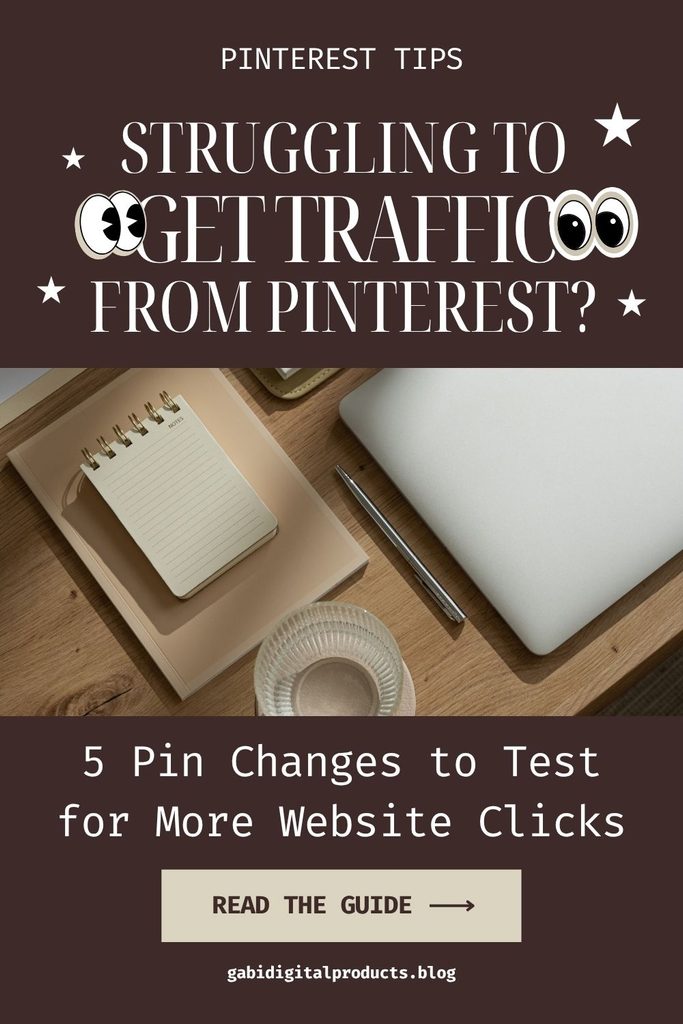
- Hook: “Struggling to Get Traffic From Pinterest?”
- Value: “5 Pin Changes to Test for More Website Clicks”
- Next step: “Read the Guide”
The wording should match the actual content on your landing page. Avoid promising results the article or product cannot deliver.
Also, make your main message readable on a phone. A detailed design won’t help if people have to zoom in to understand it.
4. You’re Looking at the Wrong Pinterest Metric
Before you change your pins, decide what you want to improve.
Pinterest tracks two types of clicks. A pin click opens your pin. An outbound click takes someone to your website or the link attached to the pin.
Pinterest’s official guide to Pinterest Analytics explains these metrics and how to review pin performance.
Here’s how to tell what your Pinterest numbers mean:
| What you see | What to check |
|---|---|
| Low impressions | Pin topics, keywords, reach, and how often you post |
| Impressions but few pin clicks | Headline, design, and whether the pin fits what people want |
| Many pin clicks but few outbound clicks | Whether your pin gives people a reason to visit your website |
| Outbound clicks but few sales | Your product page, price, offer, and whether it fits what people need |
| Saves but few outbound clicks | Whether people save your pin for ideas but have little reason to click |
Start with your biggest drop-off. If people see your pins but don’t click, work on your headlines and designs first. If they click but don’t buy, look at your product page and offer.
If you want more website traffic, focus on outbound clicks and outbound click rate. Impressions and saves don’t tell you how many people visit your site.
5. Your Pinterest Pins Suddenly Stop Getting Impressions
Not every Pinterest problem is a design problem.
Some creators report sudden changes in impressions or outbound traffic, even after publishing consistently.
For example, this discussion in r/Pinterestmarketing about a large drop in Pinterest traffic describes a creator experiencing a huge decline in reach and clicks.
A drop in traffic doesn’t always mean your pin designs are the problem. Check your Pinterest stats first to see where clicks dropped before changing your designs.
If your impressioIf your impressions have dropped, check these things first:
- Is it one pin or most of your pins? This helps you see if the problem is small or affects your whole account.
- Have your best pins lost views too? If so, your reach may have dropped.
- Are certain topics or keywords getting fewer views? Some topics may bring less traffic than before.
- Do your links still work? Open them to make sure they lead to the right page.
- Has the drop lasted for a while? A short dip doesn’t always mean something is wrong.
Don’t rush to post more pins just because your views have dropped. First, try to find out what’s changed.
If your pins still get views but fewer people click, work on your headline, design, and reason to click. If your views have also dropped, look at your topics and keywords before redoing all your designs.
6. You’re Sending People to a Page That Doesn’t Match the Pin
Getting the click is just the first step. Your page needs to give people what they came for.
Imagine your pin promises free Canva templates, but the page pushes a paid product instead. People may leave because they can’t find what they came for.
The same thing can happen if your pin shows one product but sends people to your shop’s homepage instead of that product’s page.
Try this: Link each pin to the exact page people expect to see when they click.
- If your pin promotes a tutorial, link directly to that tutorial.
- If it promotes a specific template bundle, send visitors to that product page.
- If it promises a free resource, make that resource easy to find.
Open the page on your phone. Make sure it loads fast, people can see what you’re offering, and it’s clear what to do next.
If people click your pins but few buy, the problem may be your offer, price, product page, or the people you’re trying to reach.
7. You’re Publishing More Pins Without Learning From the Results
When Pinterest traffic is slow, it’s tempting to increase your posting frequency and hope something works.
But publishing more variations without checking their performance can create more work without giving you useful answers.
Instead, run small, controlled experiments.
For one blog post or digital product, try three different pin designs:
- Pin A: A problem-focused headline.
- Pin B: A product preview or before-and-after example.
- Pin C: A benefit-focused headline with a clear call to action.
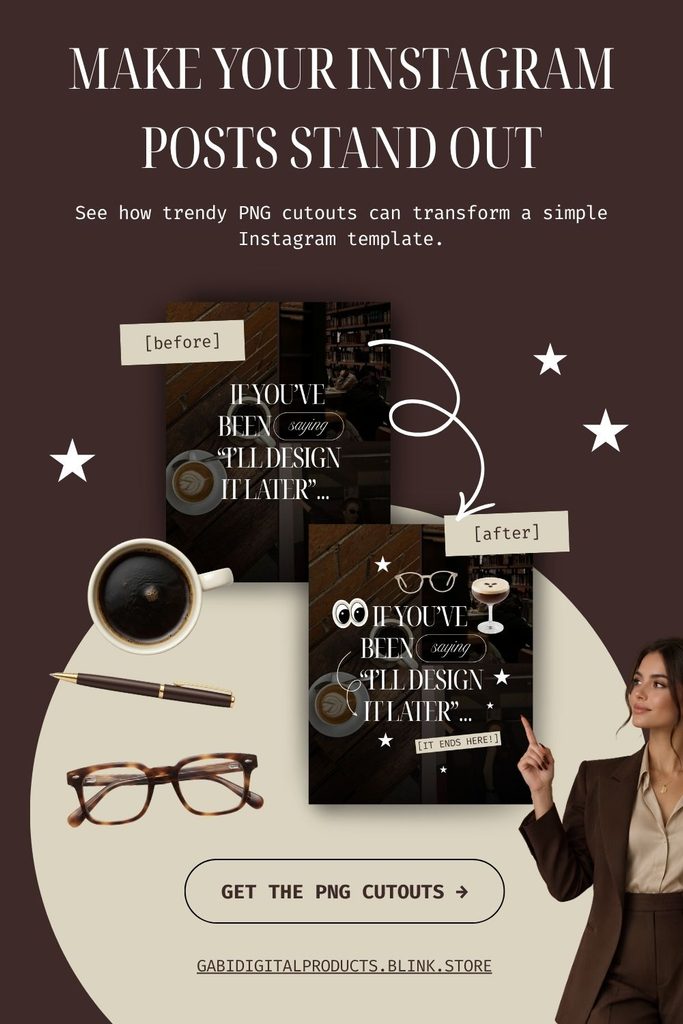
Link both pins to the same product page so you can compare them.
After a few weeks, check which pin got more clicks, saves, and visits to your website. Don’t judge too soon if the pins have only a few views.
The goal is to learn what makes people want to click, not to find one design that works for everything.
How I Approach Pinterest Pin Design for Digital Products
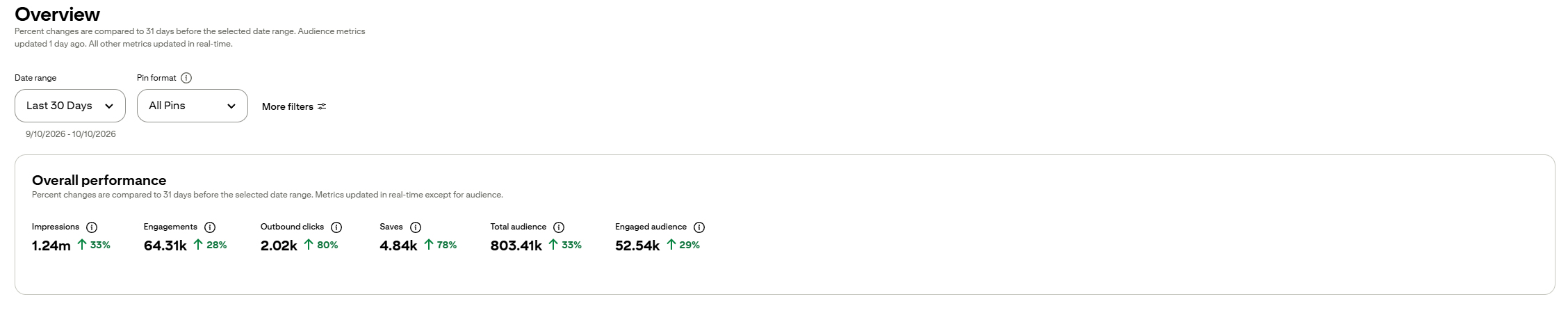
In my own Pinterest marketing, my analytics showed more than 2,000 outbound clicks in 30 days. That’s my personal result, not a promise that you’ll get the same results.
I use Pinterest to promote blog posts, digital products, and affiliate offers. For example, if you want to earn money through Pinterest, choosing the right affiliate programs is a good place to start.
I’ve put together a guide to the best affiliate programs for Pinterest to help you explore your options.
Before publishing, check your pin’s design. Is the headline easy to read? Is the message clear? Does the design catch your eye?
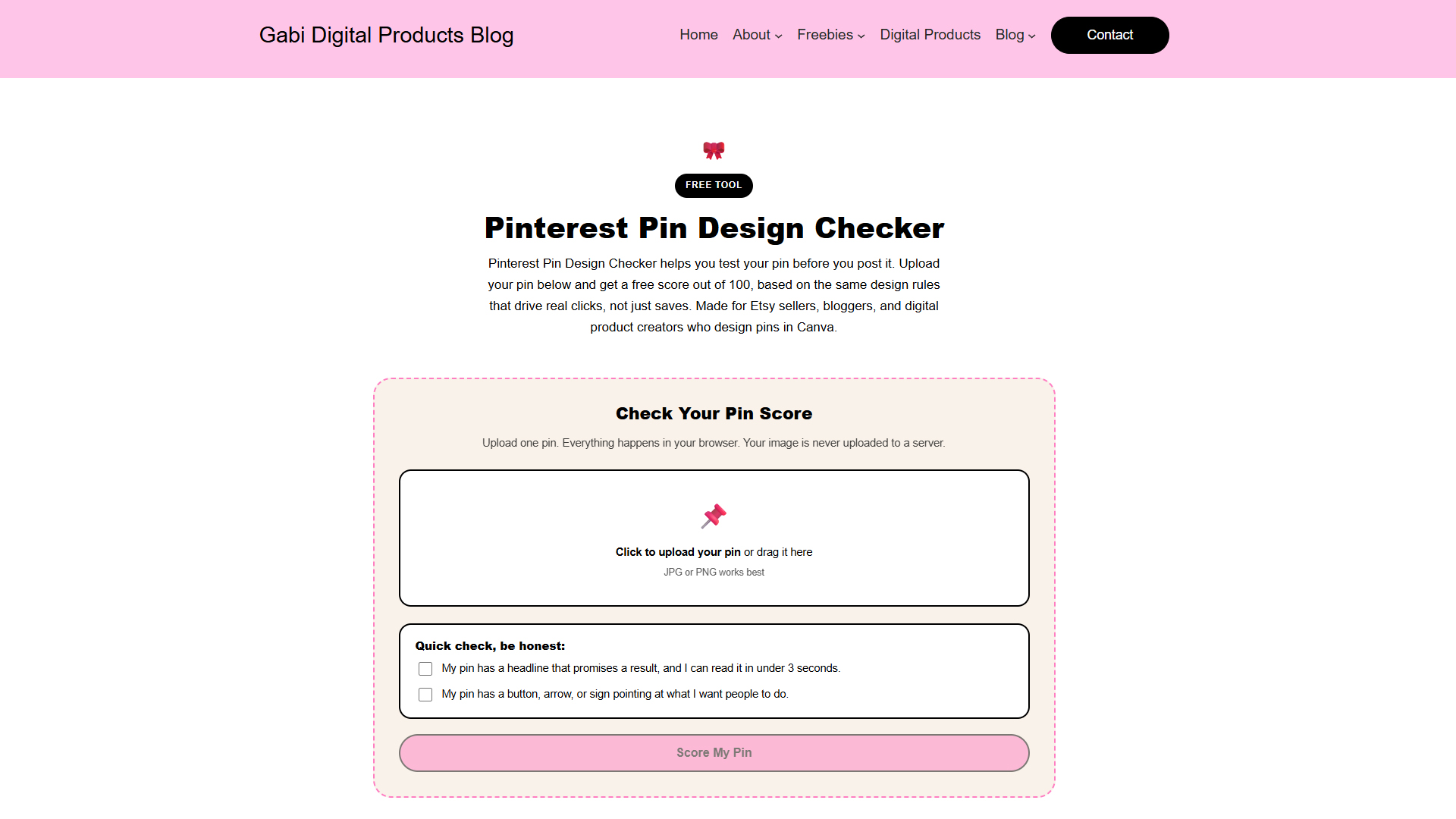
If you’re not sure, try my free Pinterest Pin Design Checker. It helps you review your pin and spot things you may want to fix before publishing. It won’t guarantee clicks, but it’s a useful place to start.
Want a quicker way to create pins? Take a look at my FREE Pinterest pin templates. You can edit them to promote your blog posts, offers, and digital products.
Pinterest Pins Not Getting Clicks? Reddit Discussions and 7 fixes FAQ
Frequently Asked Questions
Why are my Pinterest pins getting impressions but no clicks?
Why are people saving my Pinterest pins but not clicking?
How long does it take for Pinterest pins to get clicks?
Should I publish more Pinterest pins to get more clicks?
What should I track if I want Pinterest traffic to my blog?
Final Thoughts
If your Pinterest pins aren’t getting clicks, you don’t need to give up or change everything.
Start by checking your Pinterest stats. See which pins get views and clicks, then use what works to improve your next pins.
You can also read Reddit discussions to see what other creators are trying. Use their advice as ideas to test, not rules that work for everyone.
Then make one change at a time.
Try a clearer headline, a better call to action, or a link that takes people to the right page. These small changes may help more than simply posting more pins.
Not sure if your pin is ready? Try my free Pinterest Pin Design Checker before you publish.
Remember, the goal isn’t to make more pins. It’s to learn what makes people click.
If people save your pins but don’t visit your website or buy your digital products, a pretty design may not be enough. They may like how it looks, but still not know what you’re offering or why they should click.
Beautiful pins catch people’s eyes. Clear pins give them a reason to click.