If you listed a digital product on your shop, like I do over at gabidigitalproducts.com, and heard nothing… no clicks, no sales… keep reading. In this blog, I’ll show you exactly how to rank a digital product shop on Google using what I’ve tested myself in 2026.
This is not theory. It’s what I use to make my digital products easier to find, easier to index, and easier to sell.
1. The “Human-First” Hook
In 2026, SEO isn’t just about keywords. It’s about proving you’re a real person with a real solution.
Think about it. If it were only about keywords, then all those AI spam websites would rank number one.
Yes, blogging and content creation have become much harder in 2026. But if you can prove that you’re a real human with a real solution, your digital products and blogs can still rank on the first page.
In a way, this protects people like us. But it also means the bar is much higher, and the content needs to be better than ever.
What helps you show that you’re a real human is having a clear contact page with your photo, a working email, and/or a phone number (not a broken one 😄).
It also helps to have a blog, not just random posts, but fewer, high-quality ones.
And don’t forget an About page for your store, plus original photos of you or your workspace.
2. Don’t Forget the Search Intent
People buying digital products want speed and transformation.
For example, selling a “Daily Planner” is a bad idea for a few reasons.
First, it’s too broad, and the person searching probably doesn’t even know exactly what they’re looking for. It’s almost impossible to match the person’s search intent with something too broad. However, it’s much easier to match the intent behind “Simple Daily Planner for Busy Moms.”
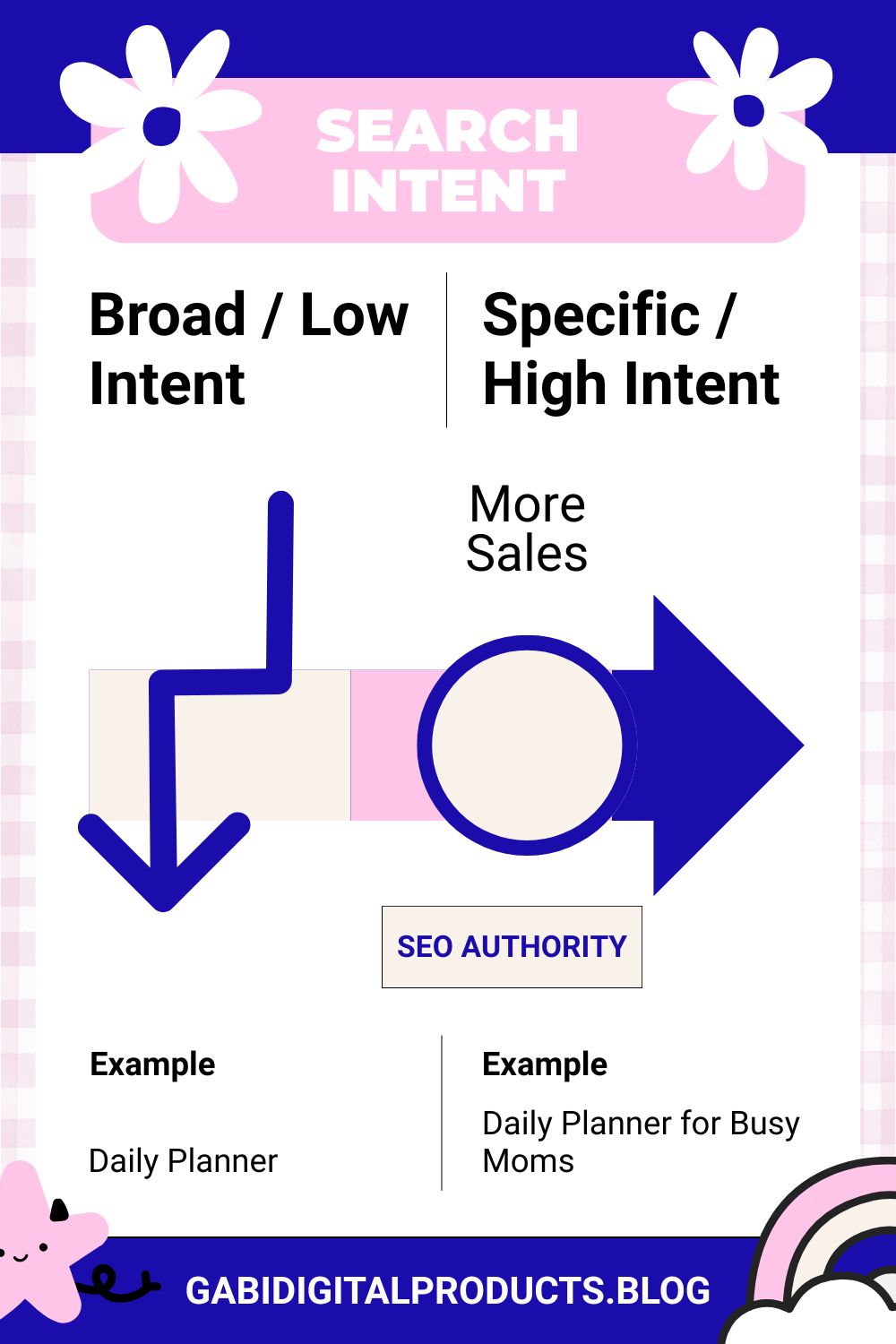
Second, in 2026, you’re not going to rank on Google with something as general as “Daily Planner.” But you do have a chance of ranking for something more specific, like “Daily Planner for New Moms,” “Simple Daily Planner for Busy Moms,” or “Daily Planner for Moms with No Time,” because there is less competition and a much clearer intent.
So overall, before you create a product, you must choose the right digital product idea with the right intent behind it.
Don’t try to target everyone. Instead, solve a very specific pain point for a very specific person, and you’ll have a much better chance of appearing on the first page of Google in 2026.
Always ask yourself: Is the user looking to learn or to buy?
3. Creating “Extraction-Ready” Content (For Google AI & LLMs)
LLMs like ChatGPT don’t “read” like humans, they “extract.”
Each heading should be followed by a direct answer.
If you have a WordPress blog, install the Yoast SEO plugin. In 2026, Yoast can automatically create an llms.txt file. It acts like a “VIP menu” for AI crawlers, telling them exactly which parts of your blog are the most important to read and summarize.
Also, LLMs don’t read a long 2,000-word blog the same way humans do. They usually summarize it down to 200–500 words. By using clear H2 headings and giving a direct 40–60 word answer under each one, you’re more likely to be cited by an AI tool.
Another thing I recently learned: if you create a blog like “10 Best-Selling Canva Templates in 2026,” it’s better to use a table.
If your competitor uses a simple list and you use a table, LLMs will almost always prefer your content. Plus, other bloggers may link to your table, which can help you get backlinks.
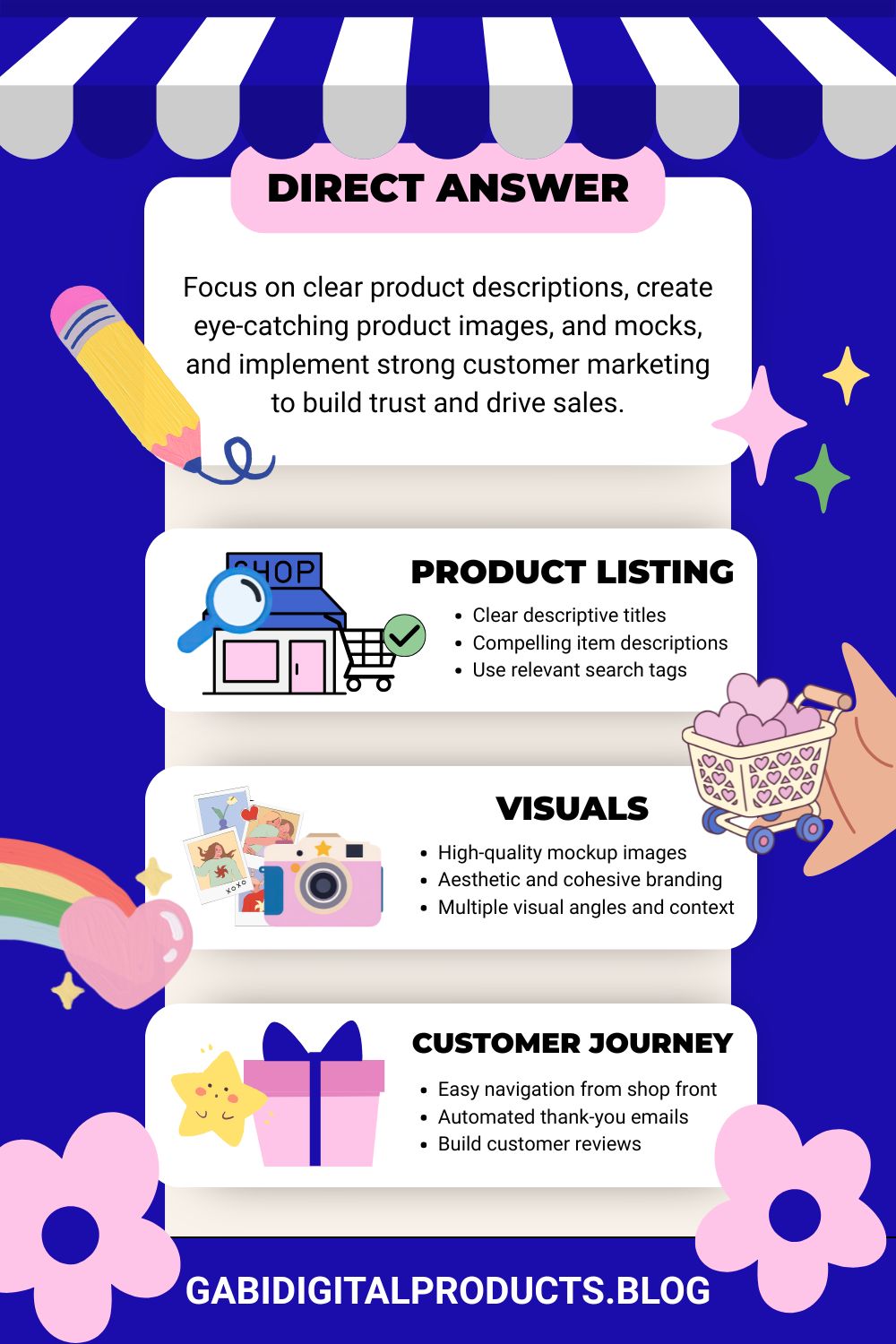
So try to remember this whenever you write a blog:
- Use FAQ schema (add a “Common Questions” section at the bottom)
- Use tables for product comparisons (AI tools love tables)
- Give a direct 40–60 word answer under each headline, because this helps both humans and AI quickly understand your main point and increases the chances of your content being cited.
4. The “Pinterest-to-Google” Bridge (Your Secret Weapon)
Pinterest is a visual search engine that is easier to rank on than Google. By posting your pins with the same keywords as your blog and product page, you can bring traffic faster. This shows Google that your content is real and valuable, helping your digital products get indexed and rank sooner.
(If you’re new to this, check out my complete guide on Pinterest SEO for beginners to see how I set up my pins for success.)
When posting pins, make sure to match the search intent. If your blog is about how to rank a digital product shop on Google, don’t use unrelated Pinterest keywords like “how to make money in 2026” just because people search for them. That’s misleading and can hurt your Pinterest account.
Use the Pinterest search bar to find keywords or phrases similar to your blog, or use your exact blog title. Include your keywords in the pin description and naturally in the alt text (Tailwind’s alt text generator can help).
I first create the alt text using Tailwind. Then, I ask an LLM to naturally insert my target keywords into it if they are not already there. This way, the alt text stays readable for humans while still optimized for search engines and AI.
Finally, make sure your product page also clearly matches what your pin and blog promise, don’t mislead visitors.
5. Technical E-E-A-T: Proving You’re a Pro
I’m learning just like you, and in fact, I’m rewriting and fixing a lot of blog posts I wrote in 2025 when I was a total newbie, doing exactly what I’ve been explaining in this blog so far NOT to do.
The blog you’re reading now used to be called “How to Rank on Google on the First Page”. I’ve changed it to “How to Rank a Digital Product Shop on Google First Page (2026 Guide)”.
I’m not sure why it didn’t click for me in the beginning that I would never rank for such a broad topic with my digital products blog. But it’s never too late to fix things.
In 2026, I’m focusing on building topical authority instead of writing broad blog posts. I’m making content targeted and specific, matching the searcher’s intent, and being as helpful as possible.
I’ve also almost completely rebranded my digital product storefront design. I added more images from my phone’s camera (yes, this is important, it shows I’m a real human 😄) to the About, Home, and Contact pages.
6. Use Interlinking to Rank a Digital Product Shop
I’ve known for years that interlinking is important because I’ve always been a bit of an SEO geek. But theory is just theory until you actually practice it (little did I know).
In 2026, I created a spreadsheet in Canva where I tracked my blog posts: titles, index status, which posts link to them, which posts they link out to, and whether they had a video. I did half of this manually and half using a tool called Link Whisper, which shows you which blogs have internal links pointing to them.
![A cute, colorful [rank a digital product shop] illustration showing connected web pages with faces, arrows, a laptop, and a robot to explain the concept of an 'Orphan Page' and how it blocks a digital product sale.](https://gabidigitalproducts.blog/wp-content/uploads/2026/04/rank-a-digital-product-shop-orhan-pages-1.jpg)
See that gray, lonely web illustration? That’s called an orphan page, and it’s best not to have these on your site.
And guess what? Using the Canva spreadsheet, I found that some posts had zero internal links pointing to them (orphan pages). That’s bad because Google uses internal links to understand your content and connect the dots.
If a post has zero links, you need to fix it.
You can also interlink a blog post inside your digital product page, or link a digital product inside a blog. This helps Google understand the relationship between your content and products, and can boost both in search results.
7. Brand Mentions
The next thing I learned in 2026 is that you can write as much content as you want, but if people don’t know about your brand, they won’t search for it, and then why would Google trust you?
Build your brand!
That’s why I’m starting to have more social media accounts (I even created Instagram recently) and working outside my website as much, if not more, than inside it.
8. Optimize URL Slugs to Rank a Digital Product Shop
To rank a digital product shop in 2026, don’t forget to set your URL slugs. For example, if you’re giving away or selling a free Intent Mapping checklist like me (see below), name your URL slug free-intent-mapping-checklist.
Do the same for your image file names, for example, free-intent-mapping-checklist.jpg. Also, compress the file sizes if they’re PNGs (even JPEGs can be large in some cases).
And don’t forget to include your target keyphrase in the alt text, naturally and carefully (don’t overdo it!).
Quiz: Ready to Rank Your Digital Product Shop?
Download Your FREE Intent Mapping Checklist!
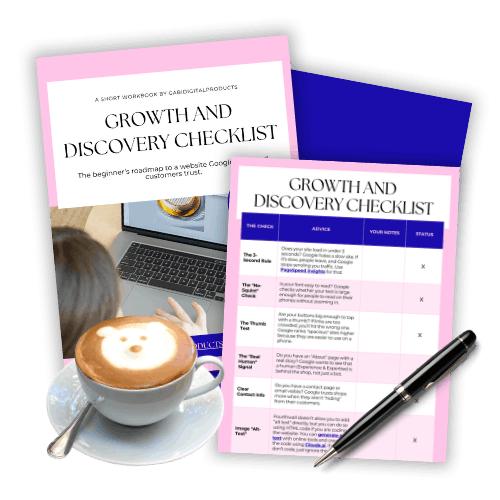
I keep adding new tips as I learn them inside my free Intent Mapping checklist, which you can start using today. It puts everything I’ve shared here in one place, with an easy-to-use MRR/PLR checklist, plus a few extra secrets you won’t find in this blog! 😊