If you’re searching for a teacher ebook template, you probably already know one thing: you don’t want to spend hours designing an ebook from a blank Canva page.
You already have the knowledge, lessons, ideas, or resources you want to put into an ebook. What you need is the ready-made structure and design so you can get the actual content done.
That’s exactly what I think a good teacher ebook template should do.
What should a teacher ebook template include?
A generic ebook template can give you attractive pages, but that doesn’t necessarily mean those pages are useful for an educational resource.
When I created my own Ebook Templates for TPT Sellers, I wanted to go beyond simply making a collection of pretty Canva pages. I looked at what an educator might actually need when putting together an ebook, workbook, guide, or student resource, and built the layouts from scratch in Canva.
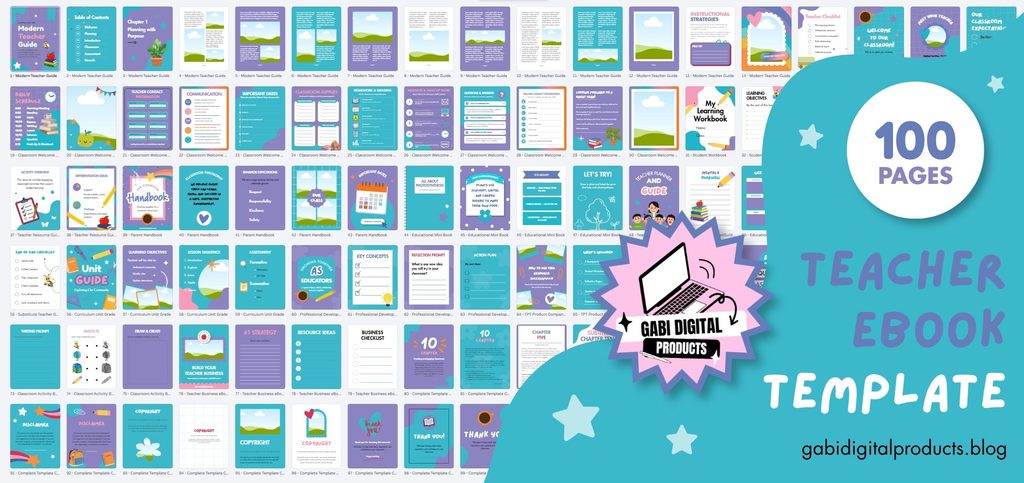
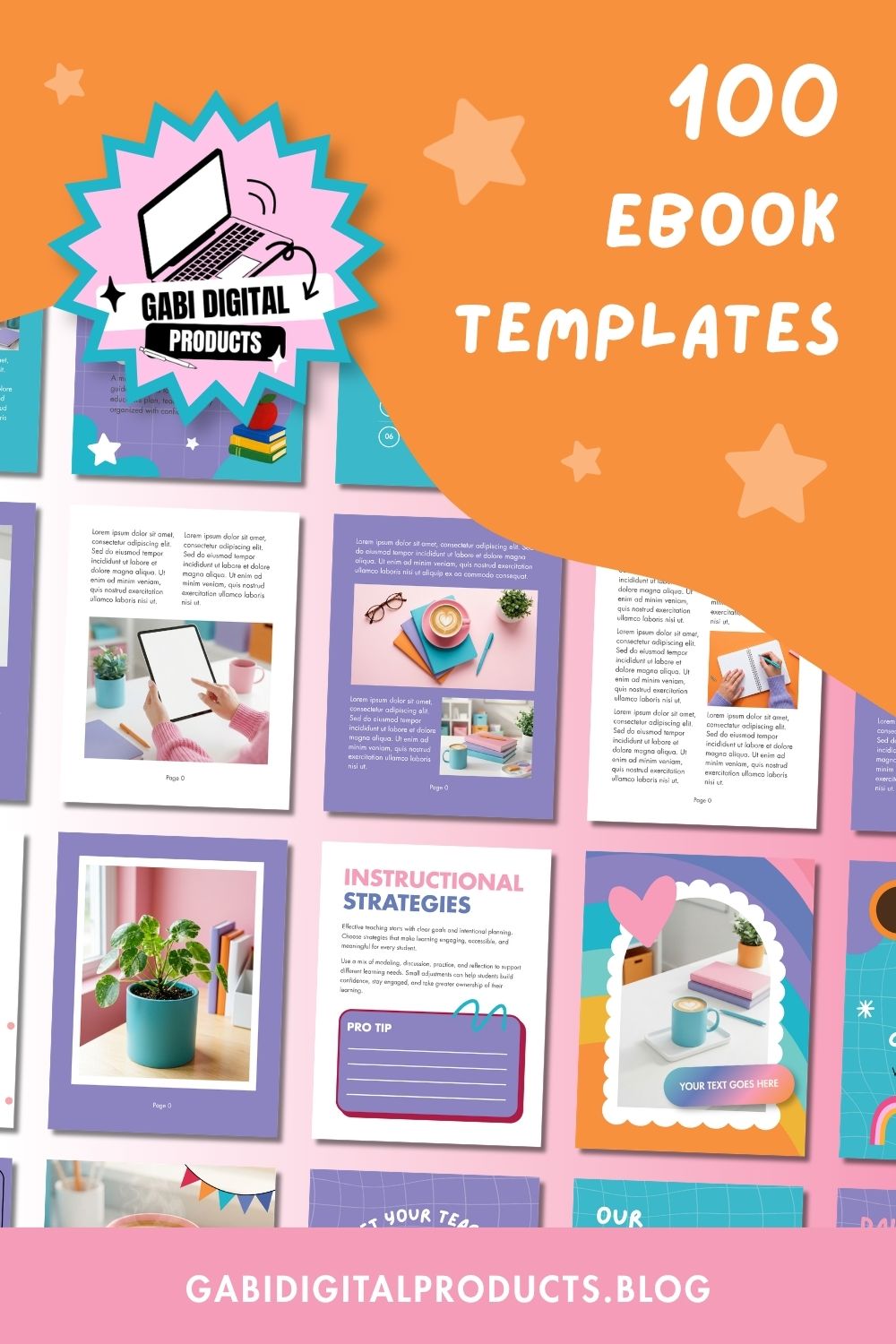
The result is a 100-page bundle containing:
- 14 cover variations
- 5 chapter intro pages
- 5 table-of-contents layouts
- 20 teacher planners and checklists
- 14 instructional strategy pages
- 10 student worksheets
- 7 content and reading pages
- Marketing and ecommerce preview pages
- Bonus disclaimer, copyright, thank-you, and Q&A pages
- Original SVG elements created specifically for the bundle
So instead of starting with a blank document and deciding what every page should look like, you can choose the layouts that make sense for your particular project.
What could you actually create with a teacher ebook template?
If you’re making an ebook for teachers or students, a generic ebook template may not give you the pages you actually need. You might need worksheets, checklists, planning pages, teaching strategy pages, or tables, not just standard text and photo layouts.
For example, imagine you’re a teacher with a YouTube channel or social media audience. You could turn something you already know well into an ebook, such as a classroom-management guide, a substitute-teacher handbook, or a practical resource for other educators. Instead of spending hours designing all those different page types yourself, you can start with layouts that are already made for this kind of content.
Or perhaps you’re a TPT seller and want to add another type of product to your store. You could create a more substantial teacher guide around a topic you already have experience with, instead of spending your time designing every table, checklist, chapter page, and worksheet yourself.
An Etsy seller could turn the templates into a study-skills guide or homework planner. A teacher could use them to create a teaching guide, workbook, or resource for students.
The important part is that the template isn’t the finished product. Your expertise and content are what make the ebook yours. The template simply removes a large part of the design work.
Why use a ready-made template instead of creating one from scratch?
You can absolutely create your own ebook design from scratch.
Canva makes that possible, and if you genuinely enjoy designing pages, that may be the right choice for you.
But there’s a difference between being able to design an ebook and wanting to spend your time designing an ebook.
If your goal is to get your resource finished, starting from scratch means figuring out things like:
- How should the contents page look?
- What should a chapter introduction look like?
- How do I format a useful worksheet?
- How should I structure a checklist?
- How do I make tables look professional?
- How many different page layouts do I need?
- How do I make the whole ebook feel consistent?
And then you still have to actually write the ebook.
That’s the part a ready-made template can eliminate.
With my template bundle, you download the PDF after purchase, click the Canva link inside it, and start editing. The templates work with Canva Free, so you don’t need a Pro subscription simply to customize them.
What makes this different from a generic Canva ebook template?
Most generic ebook templates are designed to be broadly applicable. That sounds useful, but it can also mean you’re opening the template and thinking:
“Okay… but which of these pages actually makes sense for my teacher resource?”
You may end up deleting half the layouts, creating additional pages yourself, and redesigning tables or worksheets that weren’t included.
I wanted to create something much more specific.
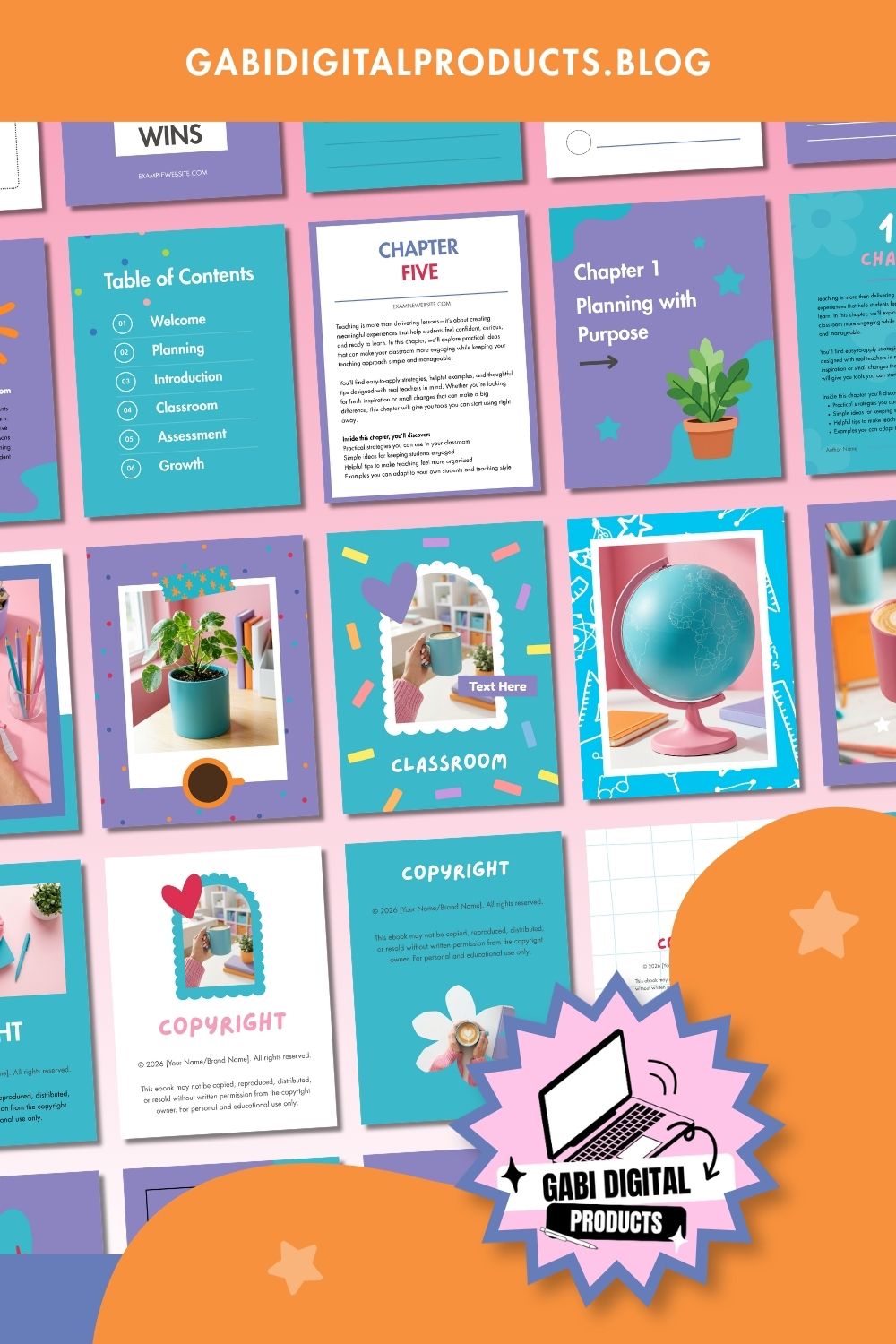
The pages in this bundle are intended for teacher ebooks, workbooks, guides, educational resources, and similar products, rather than generic business ebooks. You can mix and match the layouts, duplicate the ones you need, remove the ones you don’t, and build an ebook of whatever length makes sense for your content.
And because there are multiple covers and page variations, you’re not locked into making every ebook look exactly the same.
What about using the templates to sell products?
This is another reason the bundle may be particularly interesting to TPT and Etsy sellers.
The product includes MRR/PLR commercial rights, meaning you can use the product yourself, customize and rebrand it, or resell the product according to the included rights. The product listing specifically states that it can be sold as-is or customized and rebranded. You can read more about MRR/PLR rights here if you’re new to it.
If you’re buying primarily to create your own products, you could use the layouts as the foundation for multiple different ebooks and resources.
There is one important distinction, though: your rights apply to the product itself, not to my marketing materials. My listing images, website copy, and promotional materials aren’t included for you to reuse.
Is this teacher ebook template right for you?
Honestly, not necessarily.
If you only need a tiny three-or five-page PDF, buying a 100-page bundle would probably be unnecessary. A free Canva design might be all you need.
It’s also not for you if you genuinely enjoy designing every page from scratch and see that process as part of the fun.
But if you already have an ebook idea and your reaction is:
“I just want the design done so I can put my content in it,”
then a ready-made teacher ebook template makes much more sense.
My teacher ebook template
I made this bundle myself in Canva from scratch. I wasn’t finding many teacher ebook templates like this, so I decided to make my own. I wanted to give teachers lots of useful pages they could use to build their ebooks without having to design everything themselves.
The bundle currently costs $23 USD / €20.20 EUR and gives you immediate access to the PDF containing the Canva template link and instructions.
If you already know what you want to write, you don’t need another article explaining what an ebook is.
You need a starting point. 🙂
You can take a look at the Ebook Templates for TPT Sellers here and see all 100 pages before deciding whether it’s the right fit for your project.
Or grab it as part of the Teacher Digital Product Bundle along with the brand kit, Pinterest templates, and more.